Monitoring
Claude & Codex Cost Pro
by PackRat 🐀
Overview
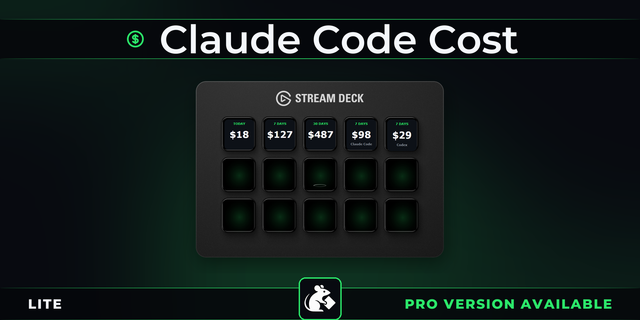
Claude Code value on a key. Plan Value shows what your Claude and Codex usage was worth at token rates against what your plan costs, so you can tell whether it is paying for itself.
Knowing what you spent is one thing. Knowing whether it was worth it is another. Plan Value prices your last 30 days of Claude Code and Codex usage at published token rates and divides it by what you pay each month. Above 1x the plan has earned its keep. Alongside it: where the money went by model and by project, a budget bar, cache hit rate and a daily trend.
Works on every Stream Deck model, for Windows and macOS.
*Is your plan paying for itself?*
**Plan Value** - Your usage priced at token rates against your plan price. Green once the plan has paid for itself, amber while it has not.
**By model and by project** - The top three of each, so a model or a repository quietly eating the month is easy to spot. Press the key to swap.
**Budget bar** - Set a monthly figure and watch it fill. It turns red when you go over, on the key, while there is still month left.
**Cache hit rate** - What share of your prompt came from cache and what that discount was worth.
**Daily trend** - One bar per day, up to 30, so a bad week has a shape you recognise.
**All time** - Every session still on your computer, totalled. Cost, breakdown and cache hit all read the full history, not just the last 30 days.
**Dial support** - On a Stream Deck +, turn the dial to scrub between today, 7 days and 30 days.
Reads the session files Claude Code and Codex already save on your computer. No account, no key, nothing uploaded. For Windows and macOS. Costs are an estimate worked out from published token rates and will not match a bill exactly.
---
More Stream Deck profiles, plugins and tools from Packrat, all on the marketplace at @packrat.
claude, chatgpt, monitor, codex, token cost, Stream Deck plugin
- Plan Value: your usage priced at token rates against what your plan costs.
- Cost: three periods with an optional monthly budget bar that turns red when you go over.
- Breakdown: top three by model or by project, press to swap.
- Cache Hit: what share of your prompt came from cache and what it saved.
- Trend: one bar per day, up to 30 days.
- On a Stream Deck +, the dial scrubs between periods.
Version 1
Aug 28, 2026
Details
Type
Monitoring
OS
Mac
Windows
Compatibility
Stream Deck 6.9 or later
Size
76.12 KB
Version
1
Language
English
Support
Profiles
No
Dial support
Yes
You might also like