Audio
Clef
by DaveDev
Overview
Overview: Clef controls Apple Music for Windows from any Stream Deck. On every model, keys play, pause, and skip tracks, adjust or mute the app volume, turn shuffle and repeat on and off, favorite the current song, and start your library playlists. On a Stream Deck +, the dials and touch strip add live artwork, track details, progress, volume, and connection status.
Features:
Play, pause, and skip tracks through Windows media sessions.
Adjust or mute Apple Music for Windows without changing the system volume.
Use keys on any Stream Deck: Play / Pause, Next Track, Previous Track, Volume Up, Volume Down, Mute, Shuffle, Repeat, Favorite, Play Playlist, and Now Playing.
See the real state on the key: Play / Pause, Mute, Shuffle, and Repeat follow Apple Music, not the last press.
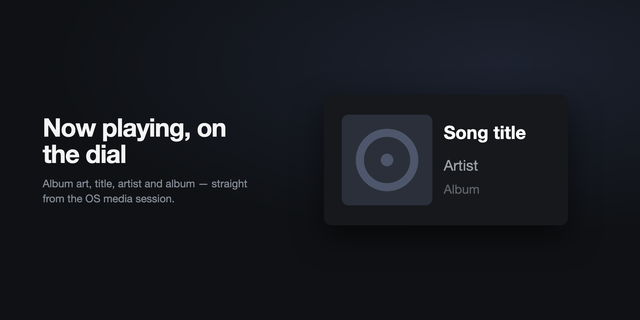
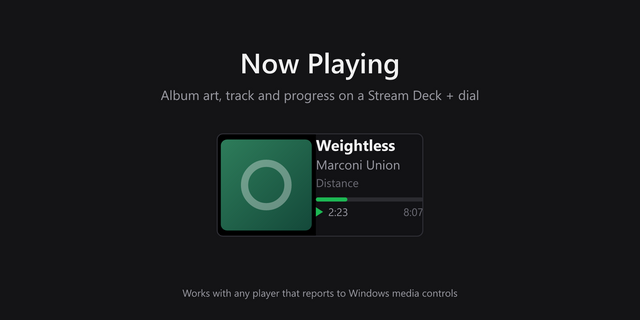
View live artwork, title, artist, and progress on the Now Playing key or the Stream Deck + touch strip.
Start any playlist in your library from a key. Pick it from a list in the key settings.
Hold Volume Up or Volume Down to keep adjusting.
Reconnect automatically after Apple Music for Windows, Stream Deck, or Windows restarts.
Keep volume controls connected when Windows changes the Apple Music audio session name, including numbered Amp Library Agent variants.
Prevent delayed album artwork from appearing with the wrong track.
Choose a separate 1–10% volume step for each volume key and each Volume Controls dial.
Uses a modern grayscale design for keys, the Stream Deck, and the touch strip.
How Clef works: ClefBridge is the required Windows helper included with Clef. It connects the plugin directly to Apple Music for Windows and to Windows media and audio services. It starts automatically and provides playback and per-app volume control without keyboard shortcuts or simulated clicks.
Shuffle, Repeat, Favorite, and Play Playlist reach the matching controls inside Apple Music for Windows through Windows UI Automation, the accessibility interface that screen readers use. Clef sends no keystrokes or mouse input, and the Apple Music window can stay minimized. These keys depend on the Apple Music interface and an English display language.
Requirements:
Windows 11 on an x64 computer
Stream Deck 7.1 or later
Any Stream Deck with keys. Dial actions require a Stream Deck +.
Apple Music for Windows
Privacy: Clef processes Apple Music and Windows audio session data locally on your computer. It doesn't collect, transmit, or sell personal data. Apple Music is a trademark of Apple Inc. Stream Deck and Elgato are trademarks of Corsair Memory, Inc. Clef is an independent project and isn't affiliated with or endorsed by Apple or Elgato.
Backend dependency updates & further polishing
Version 1.1.0.1
Sep 14, 2026
Details
Type
Audio
Music
OS
Windows
Compatibility
Stream Deck 7.1 or later
Size
34.63 MB
Version
1.1.0.1
Language
English
Support
Profiles
No
Dial support
Yes
Additional links
You might also like




-thumbnail-optimized-a74b6d6f-1886-4379-9f95-d19441860884.png)
-app-icon-optimized-7171bf4e-2e32-4875-b94d-30578d9bb4df.png)