Productivity
ClipDeck Lite
by Magoo
Overview
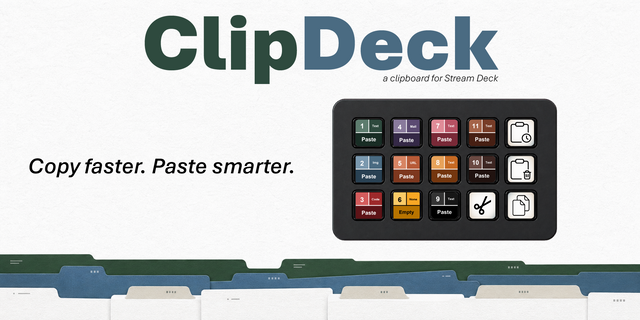
Copy Fast. Paste Smarter.
You are working through a busy day of emails, reports, client notes, project updates, links, and repeated snippets of text. One moment you are copying information from a document, the next you are pasting it into a message, then jumping back to grab another detail for a spreadsheet, a ticket, or a presentation. After a while, the constant back and forth starts to slow everything down. You know you copied the right text a few moments ago, but now it is buried behind the next copy action.
ClipDeck Lite brings simple clipboard control to your Elgato Stream Deck on macOS and Windows. It helps business professionals, creators, editors, developers, and support teams speed up everyday copy-and-paste tasks without interrupting their focus.
With ClipDeck Lite, you can:
Copy or cut the current selection
Clear local clipboard history
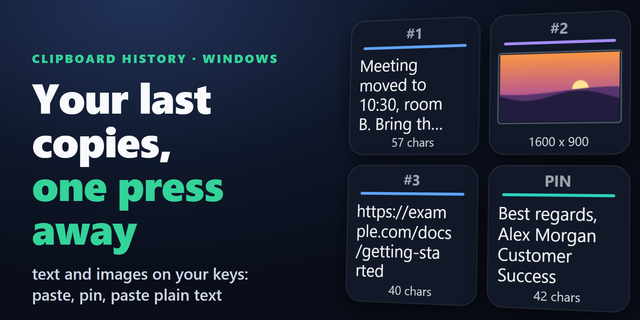
Open a visual clipboard-history window
Paste from one configurable history slot
ClipDeck Lite is an easy way to try Stream Deck-based clipboard automation without added complexity. It keeps recent clipboard activity close at hand and puts common actions on physical Stream Deck keys.
What’s included
One Paste History Slot key
Configurable support for Slots 1–4
A limited clipboard-history experience for light, everyday use
For many users, that may be all they need. But if you copy and paste frequently, manage multiple snippets, reuse images, or want several dedicated paste keys, the full version of ClipDeck is a better fit.
Upgrade to full ClipDeck for:
More paste-history keys
Greater history-slot flexibility
Text and image clipboard entries
Dynamic slot icons
A more complete clipboard-control system
Start with ClipDeck Lite to simplify your daily clipboard workflow. Upgrade to ClipDeck when you’re ready for a faster, more flexible Stream Deck setup built around your daily work.
Keywords: Stream Deck, Stream Deck plugin, Elgato Stream Deck, clipboard manager, clipboard history, clipboard workflow, copy paste, paste history, clipboard automation, macOS clipboard, Mac productivity, productivity plugin, workflow automation, hotkeys, content creation workflow, editing workflow, developer workflow, support workflow, text snippets, image clipboard, ClipDeck, ClipDeck Lite.
#StreamDeck #ElgatoStreamDeck #StreamDeckPlugin #ClipboardManager #ClipboardHistory #ClipboardWorkflow #CopyPaste #PasteHistory #ClipboardAutomation #MacProductivity #macOS #WorkflowAutomation #ProductivityTools #CreatorTools #DeveloperTools #ClipDeck #ClipDeckLite
ClipDeck Lite 1.4.1.2
This update delivers major Windows clipboard performance and reliability improvements.
What’s new:
Replaced frequent PowerShell clipboard polling with a native, event-driven Windows clipboard listener.
Significantly reduced background CPU usage and eliminated accumulating PowerShell processes.
Removed temporary image-file creation during Windows clipboard capture.
Fixed image pasting in applications such as Paint and Outlook.
Fixed an issue where image paste actions could trigger the Num Lock indicator.
Improved handling of rapid clipboard changes, helper restarts, timeouts, and application shutdown.
Improved clipboard history ordering, duplicate handling, history clearing, and paste restoration.
Removed misleading success indicators when the destination application cannot confirm a paste.
ClipDeck now monitors the Windows clipboard only when its contents change, providing a faster and more dependable experience without unnecessary system activity.
This package supports both macOS and Windows.
Version 1.4.1.2
Oct 7, 2026
Details
Type
Productivity
OS
Mac
Windows
Compatibility
Stream Deck 7.6 or later
Size
1.96 MB
Version
1.4.1.2
Language
English
Support
Dial support
No
Profiles
Yes
Neo Infobar support
Yes
Additional links
You might also like