Development
ClipFlow
by neverweep
Overview
ClipFlow — Text Automation for Stream Deck
ClipFlow turns your Stream Deck into a complete text workstation. Copy, transform, generate, and insert text directly from keys and dials—without leaving your current application.
Core Features
ClipFlow provides eight text actions:
Clipboard — instantly paste the latest clipboard entry.
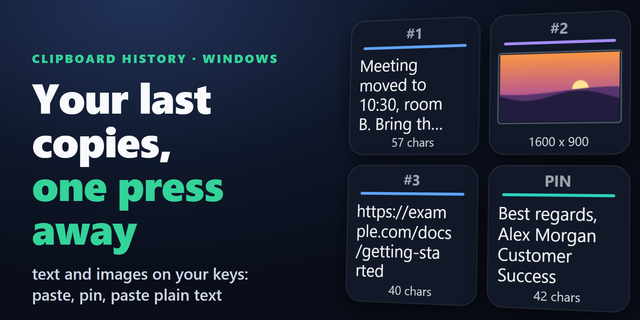
Clipboard History — browse, search, pin, and manage clipboard entries.
Clipboard Search — fuzzy-search clipboard content, snippets, templates, and chains.
Snippet — insert reusable text blocks.
Template — render dynamic {{variable}} templates at insertion time.
Transform — modify text with case conversion, JSON formatting, Base64, URL encoding, regex, and more.
Generate — create dates, timestamps, UUIDs, random strings, and other values.
Chain — combine multiple operations into one multi-step workflow.
ClipFlow also includes AI and Notepad. AI presets can process clipboard content using OpenAI-compatible or local Ollama models. Notepad lets you collect multiple clippings and compile them into a single block.
Stream Deck Integration
Actions support both Keypad and Encoder where applicable. Short press performs the primary action, while long press or dial rotation opens a browser for selecting items. On Stream Deck +, the touch strip can also browse, favorite, and trigger items.
Every action supports three output modes: Paste, Type (simulated keystrokes), and Clipboard Only.
Property Inspector & Manager
ClipFlow separates everyday configuration from advanced management.
The Property Inspector focuses on the basic behavior of each individual Key or Dial, allowing most users to configure and use ClipFlow without opening another application.
The desktop Manager handles advanced tasks such as organizing large clipboard histories, snippets, templates, variables, chains, AI presets, and detailed Transform references. It also provides import/export and an 11-language interface.
This separation keeps the Property Inspector simple. Clipboard history can become very large, while the Transform Reference contains dozens of transformations. Putting all of this content into every PI panel would make them unnecessarily long and difficult to navigate.
Privacy First
ClipFlow is local-first and privacy-focused. Clipboard data is captured through a lightweight native Windows bridge using a local named-pipe connection. API keys, secret variables, clipboard history, and Notepad data are encrypted at rest using Windows DPAPI.
No account, cloud sync, or telemetry is required.
1. Generate presets bug fixed
The catalog now reaches the PI with all fields, and the manager has a full preset library (list / add / edit / delete).
Fixed the double plus sign and the [object Object] type dropdown; 19 keys localised in 11 languages.
2. Clipboard dial: new "Show count limit"
Caps how many recent entries the dial browses (1–100, default 10), fully localised.
3. New dial face
Concave rounded corners, info block moved down/left, up to 4 centred lines, flat-ended colour bar, restored icon; the key/dial background setting now truly reaches dials.
Also: 7 audit bugs fixed; settings dropdowns save on change; the first-save ENOENT is gone (unique temp names + per-file write queue).
Version 1.5.15.22
Oct 7, 2026
Details
Type
Development
Productivity
Utilities
OS
Windows
Compatibility
Stream Deck 7.1 or later
Size
2.11 MB
Version
1.5.15.22
Language
Chinese
English
French
German
Japanese
Korean
Spanish
Support
Profiles
No
Neo Infobar support
No
Dial support
Yes
You might also like