Development
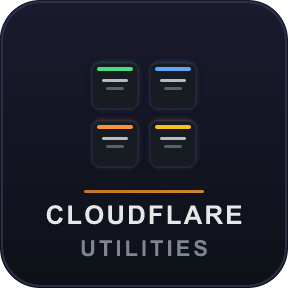
Cloudflare Utilities
Overview
Cloudflare Utilities puts your Cloudflare infrastructure at your fingertips — right on your Stream Deck.
Monitor Workers, AI Gateways, and system status without ever leaving your editor, terminal, or game. One glance at your deck tells you everything: deployment status, request counts, error rates, costs, and more — all updating in real time.
🔥 4 Powerful Actions
Cloudflare Status
Keep an eye on Cloudflare's global health. See the overall system status — or drill down into a specific component like CDN, DNS, Workers, or Pages. The key updates automatically and lights up instantly if there's an incident. Press for an instant refresh.
Worker Deployment Status
Know the state of your Cloudflare Worker at a glance:
🟢 Live — Deployed and serving 100% of traffic
🟡 Gradual — Traffic is split across versions (gradual rollout)
🔵 Recent — Deployed in the last 10 minutes
🔴 Error — Something went wrong
Color-coded accent bars make status unmistakable even from across the room.
AI Gateway Metric
Real-time metrics from your Cloudflare AI Gateway, displayed on a single key. Press to cycle through:
Requests — Total request count
Tokens — Token usage
Cost — Estimated spend
Errors — Error count & error rate
Cache Hits — See how much you're saving
Logs Stored — Stored log count
Features adaptive polling that backs off intelligently on rate limits (429).
Worker Analytics
Deep analytics for any Cloudflare Worker:
Requests — Total invocations
Success Rate — Percentage of successful requests
Errors — Error count
CPU Time — Average CPU time per request
Choose your time window (24h, 7d, or 30d) and press the key to cycle through metrics.
✨ Built for Your Workflow
Shared credentials — Set up your Cloudflare API Token and Account ID once, and every action uses them automatically.
Smart dropdowns — Workers and Gateways are auto-populated from your account. No copy-pasting IDs.
Marquee scrolling — Long resource names scroll smoothly so nothing gets cut off.
Adaptive polling — Refresh intervals you control (default 60s, min 10s), with automatic backoff when APIs are busy.
OLED-optimized — High-contrast dark theme with color-coded accent bars designed specifically for Stream Deck displays.
Press to refresh — Any key can be pressed for an instant update.
🔒 Privacy First
Your API credentials never leave your machine. They're stored locally in Stream Deck's global settings — no cloud sync, no telemetry, no third-party servers.
🛠 Requirements
Stream Deck software v6.9+
A Cloudflare account with an API Token (read-only access is sufficient)
Works on Windows 10+ and macOS 13+
🚀 Getting Started
Install the plugin from the Stream Deck Store
Drag any Cloudflare action onto a key
Click "Setup" in the Property Inspector to enter your API credentials
Select your Worker, Gateway, or component — and you're live!
Open source and community-driven. Contributions welcome on GitHub.
v1.2.1 - Code quality & reliability improvements
v1.2.0 - 6 new actions + visual polish
New actions:
Pages Deployment Status — Monitor Cloudflare Pages projects: deployment status, branch, commit hash, and time since deploy.
DNS Record Monitor — Watch any DNS record (A, AAAA, CNAME, MX, TXT). See value, type, and proxy status with color-coded indicators.
Zone Analytics — Traffic stats for any zone: requests, bandwidth, cache rate, threats, and unique visitors. Cycle metrics with a key press.
R2 Storage Metric — Track R2 bucket storage: object count, payload size, and operation counts.
D1 Database Metric — Monitor D1 databases: rows read/written, queries, and database size.
KV Namespace Metric — Workers KV operation counts: reads, writes, deletes, and list operations.
Visual polish:
Cloudflare Status now shows "last checked" timestamp (e.g., "just now", "2m ago").
AI Gateway displays human-readable gateway names instead of IDs.
D1 Database Size label no longer shows a time range (it's a point-in-time value).
All truncation functions now use shared constants for consistency.
Version 1.2.1
Mar 4, 2026
Details
Type
Development
OS
Mac
Windows
Compatibility
Stream Deck 6.9 or later
Size
141.2 KB
Version
1.2.1
Language
English
Support
Profiles
No
Dial support
No
Additional links
You might also like