Gaming
CMDR Dashboard
by TeaTime
Overview
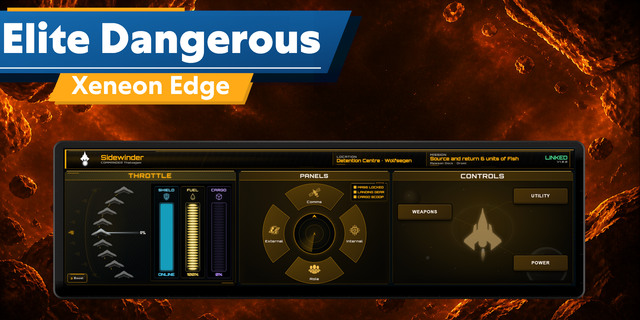
CMDR Dashboard puts an orange cockpit display for Elite Dangerous on your CORSAIR XENEON EDGE: pips, fuel, the status lights and your route at a glance, live while you fly. No mod, no companion app: it reads the files the game itself writes for tools like this.
The cockpit
Flight mode in big type (supercruise, normal space, hyperspace, docked, landed, glide), the FSD (charging, cooling down, mass locked), fire group, the panel you have open, legal state and HUD mode
Pips as three columns of four, in half pips, the way your distributor counts them
Fuel: the main tanks against the most seen in them, the reservoir, low fuel and fuel scooping
Sixteen status lights: landing gear, cargo scoop, hardpoints, lights, night vision, silent running, flight assist off, shields, mass lock, overheating, danger, interdiction, FSD charge, FSD cooldown, FSD jump and supercruise
The destination and the next jump, with jumps left and the light years to go
Near a planet: heading on a tape, latitude, longitude and altitude
Cargo against the size of your racks, with limpets, stolen and mission cargo
It follows you
Deploy the SRV and its own lights take over: handbrake, drive assist, turret, high beam and more.
Step out and the suit shows oxygen, health, temperature, gravity and your weapon, with medkits, energy cells and grenades from your backpack.
Board again and the cockpit comes back.
The pages
Route: every system ahead with its star class, the stars you cannot scoop, neutron stars and white dwarfs marked
Cargo: every line in the hold
Modules: power drawn in total and by priority, and every module with its slot and power
On Foot: the suit, where you are, the backpack and the ship locker
On the Edge
Choose any size in iCUE, across or upright. Show the whole dashboard with page tabs, or one page per widget, and place several.
Touch: tap a tab to turn the page; tap a long list to see its next rows.
Hide your credit balance with one switch, and use your own text, accent and background colours.
It says what is missing instead of going blank.
What you need
Elite Dangerous on Windows (Horizons or Odyssey). No mod and no Stream Deck needed.
iCUE 5.51 or later and a CORSAIR XENEON EDGE.
Start the game once before you place the widget, so its folder in Saved Games exists. If you placed it first, remove and re-add it or restart iCUE.
The route shows once you plot one; cargo rack sizes show once you open the Modules tab in the right-hand panel.
What it does and does not do
It reads Status.json and the small companion files the game writes.
It shows what the game writes to those files. Your ship's name, hull and the current system's name are not in them, so they do not appear.
CMDR Dashboard is an unofficial fan project, not affiliated with or endorsed by Frontier Developments. Elite Dangerous is a trademark of Frontier Developments plc.
CMDR Dashboard 1.0.4
First release.
The cockpit: flight mode, FSD, pips in half pips, fuel and reservoir, sixteen status lights, fire group, panel, legal state, the destination and next jump, cargo, and position near a planet.
Follows you: the SRV's own lights in the SRV, the suit on foot (oxygen, health, temperature, gravity, weapon, backpack).
Pages: Route, Cargo, Modules and On Foot, each laid out for every XENEON EDGE size, across and upright.
The Show setting: the whole dashboard with page tabs, or one page per widget.
Touch: tap a tab to turn the page, tap a long list for its next rows.
Reads the game's own Status.json and companion files through iCUE 5.51's file access. No mod.
Version 1.0.4
Oct 13, 2026
Details
Type
Gaming
Device
XENEON EDGE
OS
Windows
Size
106.93 KB
Version
1.0.4
Language
English
Support
Dashboard Sizes
Extra large
Large
Medium
Small
Recommended Orientation
Horizontal
Vertical
Interactive
Yes
Additional links
You might also like