Development
Codev
Overview
Drive Codev's AI coding agents from your Stream Deck. Approve gates, monitor a live board of your agent fleet, and review their code with the dials, all without leaving VS Code. Companion plugin for Codev, the AI agent orchestration framework.
ABOUT CODEV
Codev runs AI coding agents ("builders") that implement issues in isolated git worktrees while you review and steer from VS Code. Its local Tower server tracks every workspace, agent, and approval gate. This plugin turns that live state into a physical control surface.
HOW IT WORKS
The plugin is a stateless controller: it reads Tower's live overview (refreshed over server-sent events) and sends canonical commands back, which the focused VS Code window executes. Nothing is stored on the deck, so every surface (deck, VS Code sidebar, web dashboard) always shows the same state. The board works as one instrument: the top row selects an agent, the second row acts on it, and the dials review its work. Keys commit, dials review.
KEYS
Builder Action: a live tile per agent showing its issue and phase; press to select it and open its current spec, plan, or diff, or bind a fixed verb of your choice
Architect Action: a live tile per architect agent; press opens its terminal
Approve Gate: shows the selected agent's pending approval gate; press to surface that gate's review in VS Code
Send Feedback: flushes your queued review feedback to the selected agent; the badge counts what is queued
Open Builder Terminal / Open Architect Terminal: jump straight to the right terminal
Codev Action: run any Codev command (open terminals, view diff, send, spawn, refresh)
Run Dev: start and stop the dev server for the selected agent's worktree
DIALS (Stream Deck +)
Zoom Navigator: rotate to browse workspaces and agents, tap to zoom into the diff, press to zoom back out
Review: Files / Headings: step across files in a diff or headings in a spec; press forwards the current file to the agent
Review: Changes / Blocks: step across changes within a file or blocks in a spec; press forwards the change as feedback
Scroll & Forward Selection: rotate to scroll the active editor; press to forward the current selection to the agent
PR Navigator: browse open pull requests and open the selected one
Spawn from Backlog: browse the issue backlog and spawn an agent for the selected issue
INCLUDED PROFILE
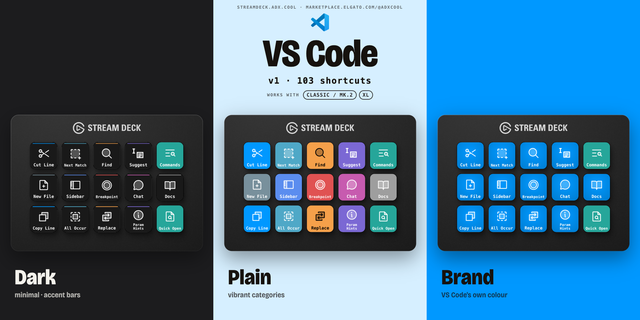
A ready-made Stream Deck + profile installs automatically on first run: a review cockpit page (agent tiles, gate and terminal keys, all four review dials) and a second page for architect terminals.
GETTING STARTED
Install Codev: npm install -g @cluesmith/codev, plus the Codev VS Code extension
Start the Tower server and open your Codev workspace in VS Code
Install this plugin; the bundled profile lands the full layout on a Stream Deck +
REQUIREMENTS
Codev (https://codevos.ai/) with its Tower server running locally and the Codev VS Code extension. Keys work on any Stream Deck; the review dials need a Stream Deck +. macOS 10.15+ or Windows 10+, Stream Deck software 6.9 or later.
Initial release of Codev for Stream Deck.
Drive Codev's AI agent workflows from your desk. Pairs with Codev (https://codevos.ai/) and its Tower server running locally.
Keys
Builder Action: a live tile per builder showing its issue and phase; press selects it and opens its current spec, plan, or diff (or a fixed verb).
Architect Action: a live tile per architect; press opens its terminal.
Approve Gate: shows the selected builder's pending gate; press surfaces its review in VS Code.
Open Builder / Architect Terminal: jump straight to the right terminal.
Codev Action: run Codev commands (open terminals, view diff, send, spawn, refresh).
Run Dev: start and stop dev for the selected builder's worktree.
Dials (Stream Deck +)
Zoom Navigator: browse workspaces and builders, zoom into the diff.
Review: Files / Headings and Review: Changes / Blocks: step through files/changes in a diff or headings/blocks in a spec; press forwards the current item to the builder.
Scroll & Forward Selection: scroll the editor; press forwards the selection.
PR Navigator: browse open pull requests; press opens the selected one.
Spawn from Backlog: browse the backlog and spawn a builder.
Included profile: a ready-made Stream Deck + layout (review cockpit + architects pages) installs automatically.
Version 3.3
Aug 18, 2026
Details
Type
Development
OS
Mac
Windows
Compatibility
Stream Deck 6.9 or later
Size
277.13 KB
Version
3.3
Language
English
Support
Profiles
Yes
Dial support
Yes
You might also like