Development
Codex Control
by Oddfini
Overview
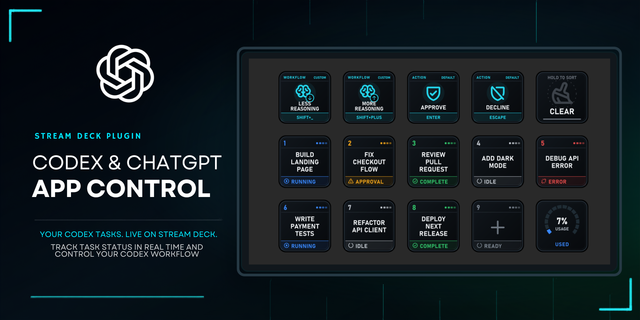
Control the Codex task in your current window from Stream Deck. Choose from six focused actions: Preset, Model, Effort, Fast Mode, Task, and Status. Apply model and effort together, or combine separate buttons while preserving the other settings.
Current window mode follows the frontmost Codex task when you press a key, including reachable remote tasks. You can also target a selected or fixed local task. Previous/next navigation uses the recent local task list. Model and effort choices come from your connected account; unavailable combinations are rejected. Fast can toggle, stay on, or stay off.
Consecutive settings presses can wait in order, with QUEUED shown on retained buttons. Each input keeps its captured task and is cancelled if that task is no longer current when it is processed. Button settings and the last manually selected task survive restart.
Requires macOS 13 or later, Stream Deck 7.1 or later, and a running, signed-in Codex Desktop app with its bundled CLI. Current window mode requires macOS Accessibility access and briefly uses the clipboard to copy the current task link. It restores supported prior clipboard contents when no intervening clipboard change is detected; clipboard history apps may retain the temporary link. Selected and fixed local task modes are also available.
Changes affect the next turn; they do not alter a response already running. The plugin submits no prompts and requires no API key. Available models, effort and Fast support depend on your account. This is an independent integration, not an official OpenAI or Elgato product. Compatibility may change after a Codex update. Remote tasks must already be reachable and present in Codex's saved routing information. Windows and dial controls are not supported.
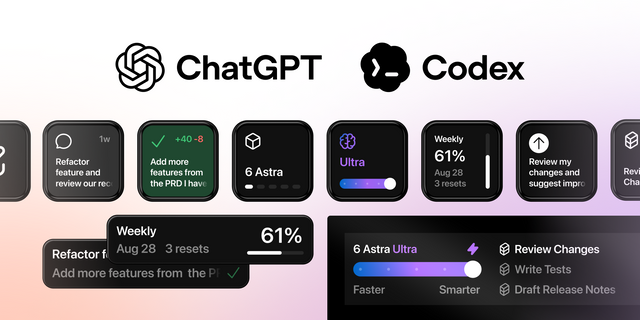
Model keys now show larger, centered generation and model names without the repeated MODEL heading. Current window task keys summarize the last verified model, effort and Fast with READ/LAST times. Effort keys use step bars, including Ultra when available; Fast uses a lightning symbol with ON/OFF states. Generations remain visible for Luna, Sol, Terra and Astra, including GPT-6.1 Sol. Supports current Codex Desktop CLI layouts and default reasoning effort, and fixes the current-window helper after Marketplace processing. Existing profiles and saved choices are preserved. Model, Effort and Fast controls remain independent.
Version 1.5.12
Oct 9, 2026
Details
Type
Development
Productivity
OS
Mac
Compatibility
Stream Deck 7.1 or later
Size
547.07 KB
Version
1.5.12
Language
English
Support
Dial support
No
Neo Infobar support
No
Profiles
Yes
Additional links
You might also like