Development
Codex Shortcuts Plugin
by KAWAII
Overview
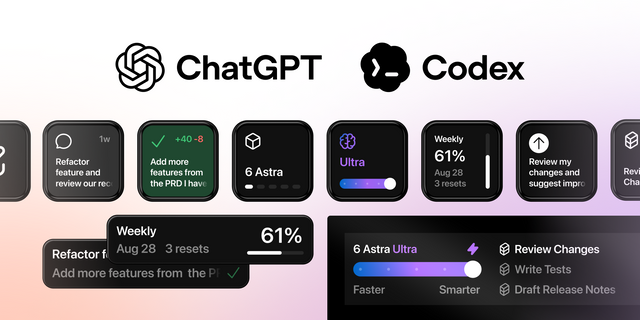
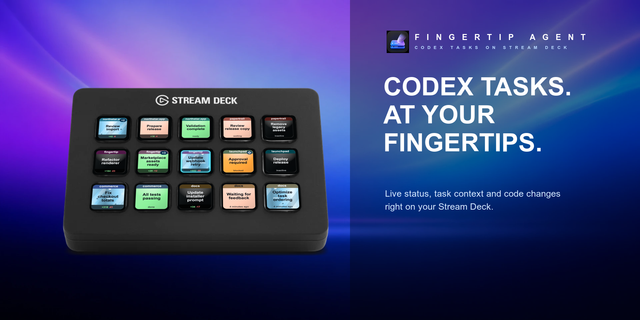
Turn Stream Deck + into a tactile control surface for the Codex desktop app on macOS. Follow six recent Codex tasks with clear color-and-shape status indicators, open a task with one press, and respond to available approval requests from the deck. Four dials let you view and change Model, Reasoning, Speed, and Access settings; tap reloads the current value and long press restores its default. A dedicated Voice key starts Codex dictation, then transcribes and sends on the next press, while the touch strip shows a live local level animation.
Requirements: macOS 13 or later, Stream Deck +, Stream Deck 7.1 or later, and the Codex desktop app (`com.openai.codex`). Accessibility permission is required only for dictation and custom keyboard shortcuts. Microphone permission for the bundled local level-meter helper is optional.
The plugin works with local Codex files and same-user local processes. It does not require an API key and does not send data to the maker. Codex integration includes local interfaces that may change after a Codex update.
Independent third-party software by KAWAII. Codex and OpenAI are trademarks or products of OpenAI. Codex Shortcuts Plugin is not affiliated with, endorsed by, sponsored by, or supported by OpenAI or Elgato.
Marketplace review revision. • Moved product, support, and privacy URLs from the description to Additional Links. • Corrected gallery media layout, overlap, and canvas-boundary issues. • Removed the hardware-photo masks that extended beyond key title areas. • Replaced scrolling task titles with a bounded single-line ellipsis label that stays clear of the status indicator. • Functionality and version remain 0.4.13.
Version 0.4.13
Aug 3, 2026
Details
Type
Development
OS
Mac
Compatibility
Stream Deck 7.1 or later
Size
179.58 KB
Version
0.4.13
Language
English
Support
Profiles
Yes
Dial support
Yes
Additional links
You might also like