Artistic
Color Picker for Windows
by GRAMSHIFT
Overview
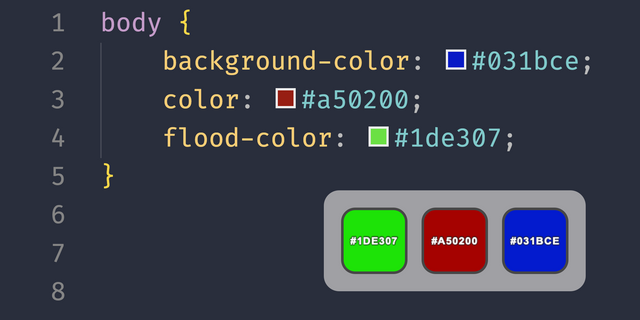
A one-key color picker for Windows: point your mouse at any pixel on your screen, press the Stream Deck key, and its HEX, RGB or HSL value is copied to your clipboard and shown on the key. Handy for CSS and UI design, with no separate eyedropper app to open.
Features
Pick Color: copies the color under the mouse pointer and fills the key with it. The key never moves the mouse, so you get exactly the pixel you point at
Last Color: shows your last picked color and copies it again in its own format (pick once, paste as HEX and rgb())
Four formats per key: HEX (#RRGGBB), rgb(r, g, b), hsl(h, s%, l%) or plain r, g, b
The value is written in black or white, whichever reads better
Optional live preview of the color under the mouse, up to 4 times per second
Per-monitor DPI aware: reads physical screen pixels
English and Japanese
Privacy
Runs entirely on your PC. No account, no online service, no data collection, no telemetry.
Reads only the one pixel under the mouse, when you press Pick Color or while preview is on. No screenshots are saved or sent; the last color stays in memory only. The only thing it changes is your clipboard.
Requirements
Windows 10 (version 1703) or later, Stream Deck app 6.9 or later
Windows PowerShell (included with Windows) reads the screen and sets the clipboard. If it is blocked, the key shows an alert.
Note: protected content, such as some video players, may read as black.
Idea or bug? Use the Support link. Every message is read.
First release with two actions. Pick Color: pick the color under the mouse with one key press and copy it as HEX, rgb(), hsl() or plain numbers, with an optional live preview on the key. Last Color: shows the color you picked last and copies it again in its own format. English and Japanese.
Version 1
Sep 25, 2026
Details
Type
Artistic
Productivity
Utilities
OS
Windows
Compatibility
Stream Deck 6.9 or later
Size
84.57 KB
Version
1
Language
English
Japanese
Support
Dial support
No
Neo Infobar support
No
Profiles
No
Additional links
You might also like