Development
Command Status for Windows
by GRAMSHIFT
Overview
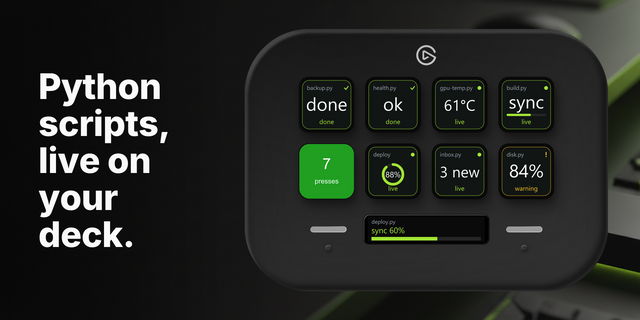
Run a test, build or backup script from a Stream Deck key and see at a glance whether it passed: green on a success exit code, red on failure, with the exit code, the run time and the last line of output. Works with Command Prompt and Windows PowerShell on Windows.
Features
Run Command: press to run; press again while it runs to stop it and everything it started
Watch Command: after your first press, runs every 1, 5, 15, 30 or 60 minutes while the key is visible and shows the latest result and its time
Command Prompt (cmd), Windows PowerShell, or a program started directly
Working folder, time limit (1 minute to 4 hours) and success exit codes (for example 0-7 for robocopy)
The last lines of output appear in the key's settings (UTF-8, UTF-16 and your console code page, such as Japanese Shift_JIS)
A run that fails, times out or cannot start turns the key red with an alert. A watched command alerts only when it goes from OK to failed
English and Japanese
Tips
Type the command as you would at a Command Prompt (for example npm test) and set the working folder to your project
Commands get no input, so use a program's no-prompt option (for example --yes or /Y)
Privacy
Runs entirely on your PC. No account, no online service, no telemetry. Nothing is sent anywhere.
Runs exactly the command you type, as your Windows user. It never asks for administrator rights.
Requirements
Windows 10 or later, Stream Deck app 6.9 or later
Idea or bug? Use the Support link. Every message is read.
First release with two actions. Run Command: press to run a command (Command Prompt, Windows PowerShell or a program) and see whether it passed: green or red, exit code, time taken and the last line of output; press again to stop it and every program it started. Watch Command: after one press, runs the command at an interval while the key is visible and shows the latest result. English and Japanese.
Version 1
Sep 30, 2026
Details
Type
Development
Productivity
Utilities
OS
Windows
Compatibility
Stream Deck 6.9 or later
Size
94.6 KB
Version
1
Language
English
Japanese
Support
Neo Infobar support
No
Profiles
No
Dial support
No
Additional links
You might also like