Productivity
Conductor Deck
by Caleb Leigh
Overview
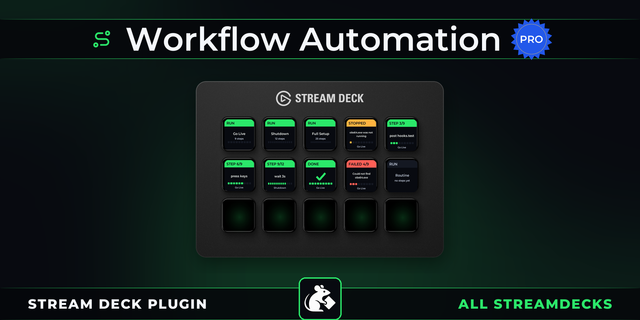
Workflow automation for Stream Deck. Build a multi-step automation on a visual canvas, then run it from a key — or let it run on its own, on a schedule, from a webhook, or the moment something happens in another app. No key press required.
Example: press one key to post to Slack, start a Spotify playlist, and switch your OBS scene. Or skip the button entirely — run a workflow every morning at 9, or the moment a new email or Stripe payment arrives.
Workflows branch on conditions, loop, run steps in parallel, and retry when something fails. Connect 3,000+ apps through Pipedream, plus your own HTTP requests, webhooks, shell commands, and keyboard shortcuts. Live run status shows on your keys and the Stream Deck + touch strip, with a full activity log of every run.
What you can build:
Automations that run without you: schedule a workflow daily, hourly, or on a cron expression, or trigger it from a webhook or an app event
Multi-step routines on one key: chain actions across apps and run them with a single press or dial turn
Visual canvas, no code: drag steps in and wire them into a flow
Real logic: conditions that branch, loops that repeat, steps in parallel, and sub-workflows you reuse
Built for the hardware: works across Stream Deck models, including the + with dial and touchscreen control
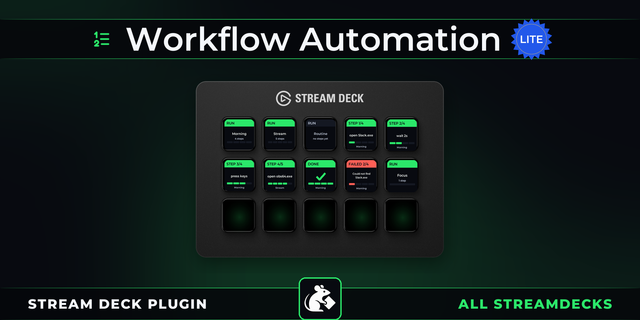
See it work: live status on keys and the touchscreen, an activity log of every run, and per-step retries
Start fast: pick a template or let AI draft a workflow from a description
Free account included. Scheduled, webhook, and event triggers, plus the Pipedream app library, are available on paid plans.
Added a "Sign out / Switch account" control, so you can unlink the plugin from your Conductor Deck account and connect a different one without reinstalling. Previously only a soft disconnect was available. Also fixes a startup crash that could stop the plugin from launching.
Version 1.0.5
Jul 27, 2026
You might also like