Streaming

Content Creator Editing Deck — MK.2 (macOS)

Overview

Before you buy: every key sends a shortcut (Control + Option + Shift + a letter). A key does nothing until you assign it to a command in your editor's keyboard shortcut settings. macOS only, Stream Deck MK.2 (15 keys).

A ready-made 15-key editing layout for Stream Deck MK.2 on macOS. Play, in and out, marker, cut, ripple delete, keyframe, undo, transition, colour, mute, save and render on one page.

THE 15 KEYS (3 rows x 5)

• Row 1, playback: Play, In, Out, Marker, Full screen

• Row 2, the cut: Cut, Ripple delete, Keyframe, Undo, Redo

• Row 3, finish: Transition, Colour, Mute, Save, Render

HOW IT WORKS

Every key sends one shortcut: Control + Option + Shift + a single letter key, all different. Works with any editor that lets you customise shortcuts. No plugin needed.

SETUP, ONCE

Double-click the .streamDeckProfile file to import it. In your editor's shortcut settings, click a command's shortcut field (for example Ripple Delete) and press the matching Stream Deck key. Keys you have not bound yet do nothing.

REQUIREMENTS

Stream Deck MK.2 (15 keys, 3 x 5) and the Stream Deck app on macOS.

More Mac decks by panda studio: Stream Hotkey Deck, Gaming Stream Deck, Stream Starter Deck, Edit Deck, Session Deck and Build Deck.

Free: Essentials Deck for Mac (Free), 28 Mac shortcuts.

LICENSE

Personal, monetized and commercial projects. Please do not redistribute or resell the files. Made by panda studio.

Initial release (macOS). A 15-key editing layout for Stream Deck MK.2 on macOS — one Control+Option+Shift shortcut per key, all different.

Version 1

Sep 29, 2026

Details

Type

Streaming

Device

Stream Deck MK

OS

macOS

Compatibility

Stream Deck 7.1 or later

Size

68.3 KB

Version

1

Support

Icons

Yes

AI Content

Yes

You might also like
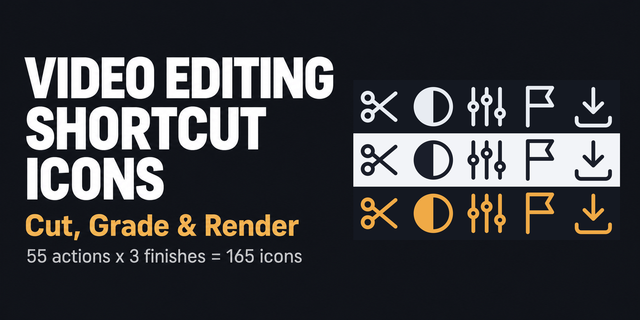
  • Video Editing Shortcut Icons — Cut, Grade & Render

    Video Editing Shortcut Icons — Cut, Grade & Render

    by panda studio

    ∙

    Streaming

    Turn a Stream Deck into an edit bay: blade, ripple delete, marker, keyframe, colour wheel, scopes and render as icons yo...

    $700.00

  • Stream Starter Deck — Stream Deck MK.2

    Stream Starter Deck — Stream Deck MK.2

    by panda studio

    ∙

    Streaming

    Before you buy: every key sends a hotkey (Control + Option + Shift + a key). A key does nothing until you bind it in you...

    $1,200.00

  • Stream Hotkey Deck — Stream Deck MK.2

    Stream Hotkey Deck — Stream Deck MK.2

    by panda studio

    ∙

    Streaming

    A ready-made hotkey layout for Stream Deck MK.2 on macOS. Every key sends one Control + Option + Shift shortcut, all 15 ...

    $1,200.00

  • Video Editing Icons — Dark (Free)

    Video Editing Icons — Dark (Free)

    by panda studio

    ∙

    Streaming

    Full version: Video Editing Shortcut Icons — Cut, Grade & Render, 165 icons (55 actions x 3 finishes). 16 free video-edi...

    Free

  • Gaming Stream Deck — Stream Deck MK.2

    Gaming Stream Deck — Stream Deck MK.2

    by panda studio

    ∙

    Streaming

    Before you buy: every key sends a hotkey (Control + Option + Shift + a key). A key does nothing until you bind it in you...

    $1,200.00

  • Stream Hotkey Deck Plus — Stream Deck MK.2

    Stream Hotkey Deck Plus — Stream Deck MK.2

    by panda studio

    ∙

    Streaming

    Before you buy: every hotkey key does nothing until you bind it in your streaming app's hotkey settings (folder and back...

    $1,500.00

  • Edit Deck for Final Cut Pro — Stream Deck MK.2

    Edit Deck for Final Cut Pro — Stream Deck MK.2

    by panda studio

    ∙

    Streaming

    A Final Cut Pro editing deck for Stream Deck on Mac: 66 commands laid out by editing stage, so each key sits where your ...

    $1,800.00

  • Christmas Video Editing Icons

    Christmas Video Editing Icons

    by ALLEZfaces

    ∙

    Creative Tools

    Christmas Video Editing Icons is a cute Christmas icon pack for Stream Deck with timeline, tools, tracks, colour and exp...

    $1,290.00