Development
ConversationDeck
Overview
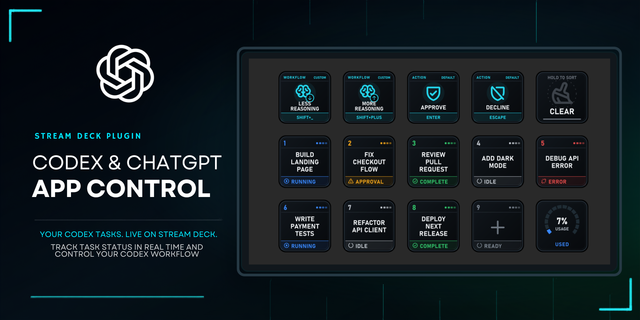
ConversationDeck brings OpenAI Codex task monitoring to Stream Deck on Mac. See errors, input requests and completed tasks in a priority inbox. Pin individual tasks, check their status at a glance and press a key to open the right conversation.
- Attention Inbox: errors and questions appear before completed and running tasks. Cycle with one key or use several keys to see more tasks.
- Task Status: give a task you check often its own key to monitor its status and open it.
- Local operation: no plugin account, API key or browser extension needed. Task data stays on your Mac; the plugin makes no internet requests.
Reading a completed chat in Codex clears it from the Inbox when compatible desktop read status is available. Optional completions from tools such as VS Code can be cleared with Inbox presses.
Requires macOS 13+, Stream Deck 7.3+ and a compatible local Codex desktop installation. Keys only; no dials. ChatGPT Classic and web-only chats are not supported. Monitors up to 300 recent unarchived top-level tasks, with live status for up to 64. Long histories and desktop updates can limit coverage.
Setup and support: https://conversationdeck.verdinstudio.dev/support/
Privacy: https://conversationdeck.verdinstudio.dev/privacy/
Questions: support@verdinstudio.dev
Independent product. Not affiliated with OpenAI or Elgato.
First release of ConversationDeck for Mac.
See when a local Codex task needs an answer, hits an error, or finishes. Press its Stream Deck key to open it. Use Attention Inbox buttons to move between chats, or dedicated Task Status keys for tasks you check often.
Version 0.4.28 fixes older tasks incorrectly showing Unavailable by adding support for compressed task histories.
Requires macOS 13+, Stream Deck 7.3+ and a compatible local Codex desktop installation. Keys only. Task data stays on your Mac.
Setup: https://conversationdeck.verdinstudio.dev/support/
Version 0.4.28
Oct 30, 2026
Details
Type
Development
OS
Mac
Compatibility
Stream Deck 7.3 or later
Size
131.42 KB
Version
0.4.28
Language
English
Support
Profiles
No
Dial support
No
Neo Infobar support
No
Additional links
You might also like