Development
CrewHelm
Overview
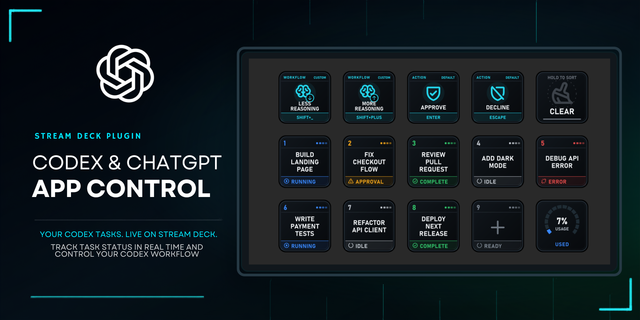
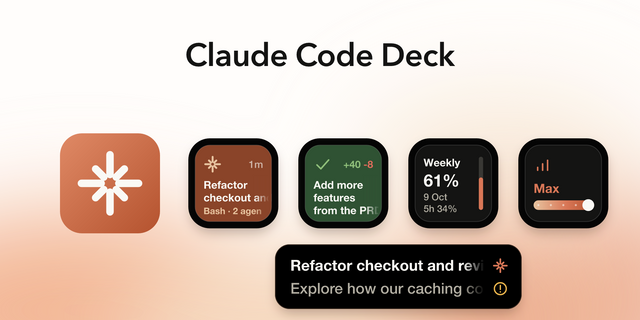
Stop hunting for the session that needs you. CrewHelm puts Claude Code Desktop and Codex Desktop on your Stream Deck, so you can see what's working or waiting and answer with one press.
Claude Code Desktop sessions follow you onto the deck, whether they run locally, in the cloud, or over SSH. If the app lists a session, you can reach it without installing anything on the remote machine. Your Codex Desktop tasks are there too, so both apps stay within reach.
Press to talk, press to answer. From the deck:
Jump to any pinned or recent task, or give a specific task its own key.
Dictate a request.
Send or stop a run.
Allow or deny a request.
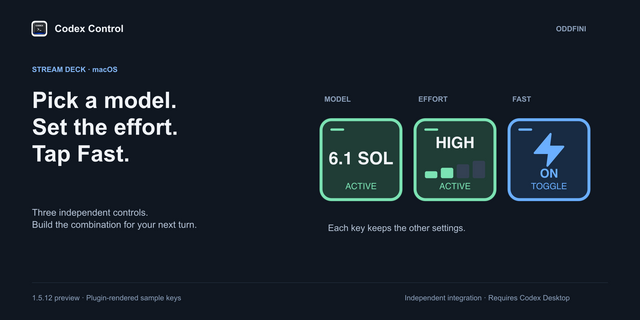
Change the model.
Use Claude Code Desktop or Codex Desktop on its own; if both are open, CrewHelm can follow the one in front, so the same controls match the app you're using.
Built to be your daily driver, for long agent runs and quick questions alike. Every key is made to be read at a glance:
Large, carefully fitted task names.
Eight color swatches plus a custom color.
Simple rings for unread work, attention, errors, selection, and hold progress, without clutter.
Working tasks animate to show activity.
Tap and hold do different things on the same key, so even a small deck does a lot.
When an idea is still taking shape, tap Mic to think out loud, or hold it like an intercom button for push-to-talk. Give the context, constraints, and tradeoffs behind your request, then review the draft before sending.
CrewHelm was created with CrewHelm itself, using only voice control and a mouse. Claude wrote the code; ChatGPT handled graphics, research, and product messaging.
Key actions:
Pinned Task: Access your pinned tasks in order, one per key, following the app's Pinned list. Each key shows its task's name and live status. Hold to archive the task.
Recent Task: Same as Pinned Task, but for recent tasks.
Bound Task: Tap to open the bound task; if the key is unbound, tap to bind the task in front. The task's name and live status appear on the key. Hold to clear the binding.
New Task: Start a new task.
Send / Stop: Send the text in the composer, or stop an active run.
Mic: Tap to dictate until you tap again, or hold for push-to-talk.
Allow Once: Approve the request on screen, once.
Deny: Decline the request on screen.
Model: See the selected model family, the context window, and 5-hour and weekly usage arcs, with pace ticks showing elapsed time. Tap to switch models; hold to compact the current conversation.
Scroll: Tap to scroll back through a long conversation; hold to scroll forward.
Slash Command: Run the slash command you choose for that key.
Fork: Branch the current task without losing your place.
Compact: Compact the current conversation.
Archive: Archive the current task.
Open CrewHelm: Switch from your current profile to the CrewHelm profile.
Exit: Return to your previous profile.
Ready-made profiles are included for a 15-key Stream Deck and a Stream Deck XL.
Private and self-contained. CrewHelm uses your apps the way you do, through the same controls you would click. Nothing is added to your apps, your messages and sign-ins stay yours, and everything runs on your PC.
Requires Windows 11 (64-bit), Stream Deck app 7.1 or later, and Claude Code Desktop or Codex Desktop for Windows set to English.
CrewHelm supports Claude Code Desktop's Code tab and Codex Desktop (the Codex tab in ChatGPT Desktop), with support for more desktop agents planned. Claude Chat and Cowork are not supported.
Claude is a trademark of Anthropic. ChatGPT and Codex are trademarks of OpenAI. CrewHelm is developed independently and is not affiliated with, endorsed by, or sponsored by Anthropic or OpenAI.
Initial Release
Version 1.0.0.10
Oct 9, 2026
Details
Type
Development
Monitoring
Productivity
Utilities
OS
Windows
Compatibility
Stream Deck 7.1 or later
Size
7.06 MB
Version
1.0.0.10
Language
English
Support
Dial support
No
Neo Infobar support
No
Profiles
Yes
You might also like