Gaming
Crosshair Overlay for Games
by GRAMSHIFT
Overview
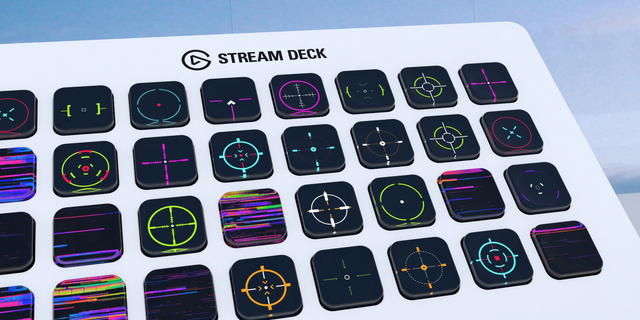
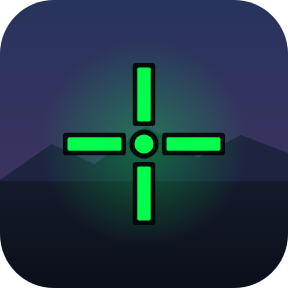
Crosshair overlay for PC games on Windows: one Stream Deck key puts a crosshair in the center of your screen and keeps it on top of windowed and borderless games. Pick the reticle shape, color, outline, size, thickness, center gap and opacity, nudge it to the pixel, and keep a preset per key for each game or weapon.
Shapes: dot, cross, T, X, circle, chevron, plus dot combos
10 preset colors or any color; black or white outline
Presets: one key per game or weapon; each key shows its crosshair
Move Crosshair keys: 1-25 px steps or back to center
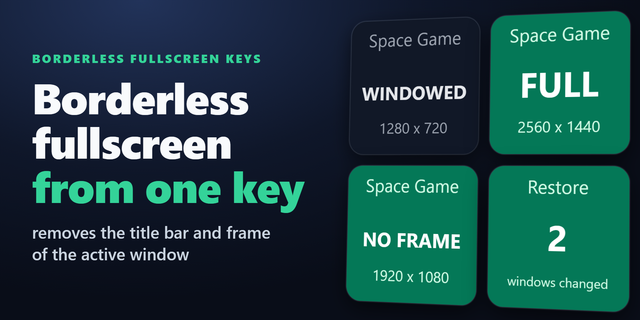
Borderless Game Window key: a windowed game fills the screen, crosshair on top
Any screen, 5 key looks, English and Japanese
How do I put a crosshair on my screen? Add a Crosshair key and press it. Clicks go through; it uses almost no CPU.
Does it change the game? The crosshair is a small see-through window on top; it never touches the game's memory or files. The Borderless Game Window key changes only the game window's frame and size when you press it, and puts them back when you press again.
Limitations
Exclusive fullscreen: the crosshair hides itself and the key says BORDERLESS?. In the game pick Borderless, or Windowed plus the Borderless Game Window key. Auto-hide can be turned off.
Closing the Stream Deck app puts back windows made borderless.
Some games and tournaments forbid crosshair overlays: check their rules.
Idea or bug? Use the Support link. Every message is read.
The settings page now gets its status and screen list even when it was opened before the plugin connected; if the plugin does not answer, the page says so within a few seconds and what to do. When the helper that shows the crosshair does not start, the plugin tries once more by itself, then the key says to press to retry and the settings page explains why. The plugin keeps running after an unexpected error and writes it to its log.
Version 1.0.1
Oct 14, 2026
Details
Type
Gaming
Utilities
OS
Windows
Compatibility
Stream Deck 6.9 or later
Size
908.44 KB
Version
1.0.1
Language
English
Japanese
Support
Neo Infobar support
No
Profiles
No
Dial support
No
Additional links
You might also like