Video
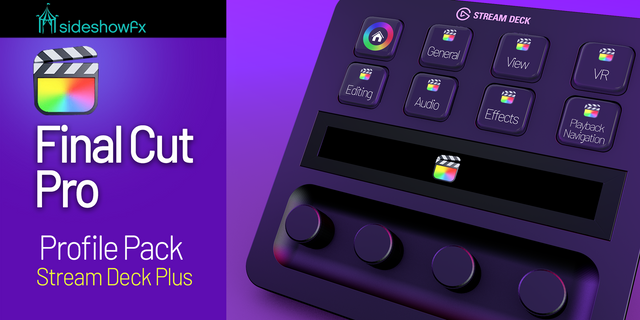
Cut Deck Lite for Final Cut Pro
by Kuberstar
Overview
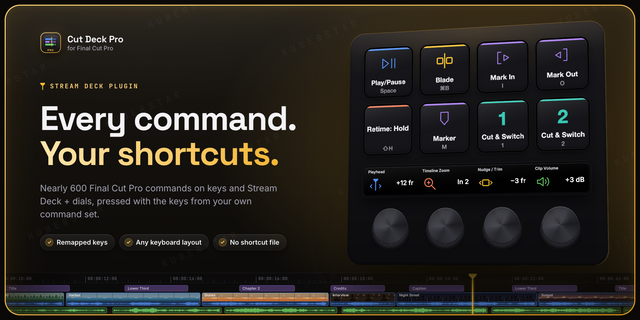
Control Final Cut Pro from Stream Deck with the shortcuts you already use. Cut Deck Lite presses every command with the key from your own active command set, so a remapped Blade or a German keyboard just works - no custom shortcut file to install, no profile to rebuild.
Stop reaching for the keyboard mid-edit. No more cheat sheets of default shortcuts. Now, play, blade and mark with a key press, and step the playhead with a dial.
Key actions include:
Play/Pause, Blade, Mark In, Mark Out, Add Marker and Undo keys
Playhead dial (Stream Deck +): step frame by frame, spin fast for 10-frame jumps, hold and turn to jump between edit points, push to play
Every key shows the shortcut it presses and dims while Final Cut Pro is closed
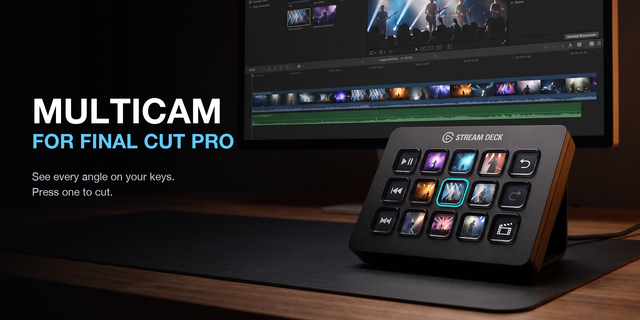
Want any Final Cut Pro command on a key, multicam angle keys, and dials for zoom, nudge/trim, volume, edit points and multicam? Get Cut Deck Pro.
Requirements: macOS 13 or later, Final Cut Pro 10.4 or later (the Creator Studio edition too), Stream Deck 6.9 or later. Stream Deck needs Accessibility permission to send keys to Final Cut Pro; the plugin opens the right Settings pane for you.
First release.
Play/Pause, Blade, Mark In, Mark Out, Add Marker and Undo keys that press the shortcut from your own active Final Cut Pro command set, so remapped keys keep working.
Playhead dial for Stream Deck +: step frame by frame, spin fast for 10-frame jumps, hold and turn to jump between edit points, push to play or pause.
Works with non-US keyboard layouts, including Cyrillic ones.
Each key shows the shortcut it presses, dims while Final Cut Pro is closed, and tells you when a command has no shortcut or Stream Deck needs Accessibility permission.
Supports Final Cut Pro and the Creator Studio edition.
Version 1
Sep 28, 2026
Details
Type
Video
OS
Mac
Compatibility
Stream Deck 6.9 or later
Size
195.09 KB
Version
1
Language
English
Support
Profiles
No
Neo Infobar support
No
Dial support
Yes
You might also like