Monitoring
Dashboard For Plex
Overview
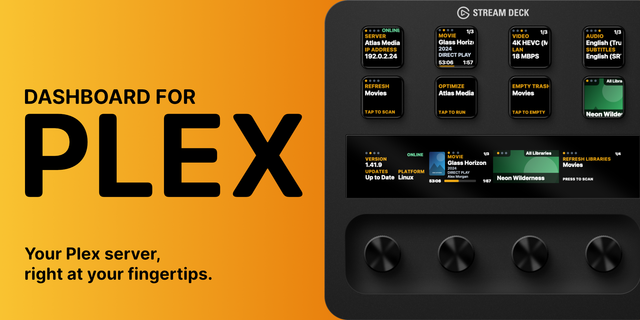
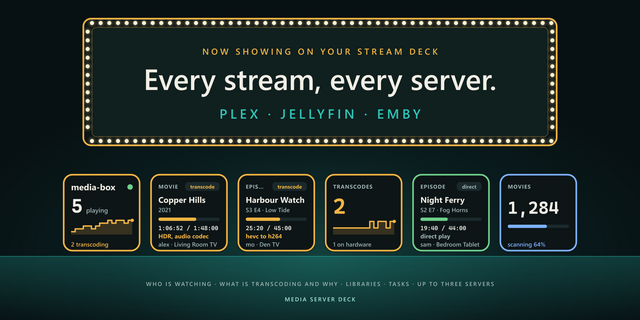
Watch over your media server with Dashboard For Plex, a customizable XENEON EDGE widget that displays active streams, playback details, server statistics, bandwidth usage, and watch history directly on your touchscreen.
What’s Included Dashboard For Plex includes responsive layouts optimized for all four XENEON EDGE widget sizes. View active streams with media artwork, viewer information, playback progress, and paused status at a glance. Select any stream to see detailed information such as playback mode, quality, device, player, connection type, location, and progress. Playback can also be stopped directly from the stream details screen.
The widget also includes a searchable watch-history view with filters for timeframe, user, and media library. Optional server statistics display CPU usage, memory usage, local bandwidth, and remote bandwidth alongside your active streams.
Dashboard For Plex connects directly to your local Plex Media Server using the server address and authentication token you provide. No separate subscription or third-party tracking service is required.
Customization Personalize Dashboard For Plex through the iCUE configuration panel with background transparency, progress-bar settings, header visibility, portrait mode, and optional server statistics.
Every layout automatically adapts to the selected widget size. Active streams remain scrollable using touchscreen gestures or a mouse wheel when more sessions are available than can fit on the screen.
Fully compatible with XENEON EDGE and iCUE, Dashboard For Plex is designed for quick setup while providing extensive control over its appearance and behavior.
Disclaimer Dashboard For Plex is an independently developed product and is not endorsed by, sponsored by, or affiliated with Plex, or their respective subsidiaries. Plex and all related names, trademarks, logos, and intellectual property belong to their respective owners.
Media displayed in promotional images is shown for demonstration purposes only and is not included with or distributed by this product. Users are responsible for providing their own media, maintaining lawful access to it, and protecting their server credentials. No copyright or trademark infringement is intended.
Version 1.3 - Major Update
Watch history page has been completely overhauled for a much better design.
This has improved the readability, and allowed for larger font size.
Gutted out a lot of the iCUE configuration that felt useless. This has made the setup much simpler.
Portrait mode received a massive improvement for its UI, having two play back tiles per row.
Server analytics received a UI upgrade with a matte finish and orange gradient. The XL widget size now includes transcode analytics data in landscape and portrait.
You can now enter a reason for pressing "Stop Playback" instead of using a default message.
Version 1.3
Nov 10, 2026
Details
Type
Monitoring
Device
XENEON EDGE
OS
Windows
Size
50.25 KB
Version
1.3
Language
English
Support
Dashboard Sizes
Extra large
Large
Medium
Small
Recommended Orientation
Horizontal
Vertical
Interactive
Yes
You might also like