Productivity
dayGLANCE
by dayGLANCE
Overview
dayGLANCE for Stream Deck
dayGLANCE is a privacy-first, local-first daily planner that brings your calendar, tasks, focus sessions, goals, projects, habits, and routines into a single view. This plugin extends dayGLANCE to your Stream Deck, connecting locally to the desktop app over WebSocket and staying in two-way sync, so anything you do on the Stream Deck reflects in the app and vice versa.
Works with every Stream Deck model. All ten actions work on every Stream Deck model. On Stream Deck +, dial and touchstrip controls light up automatically, including in-the-moment duration tuning for Focus and hyperGLANCE sessions.
What's included. The plugin includes 10 tiles to surface dayGLANCE content on your Stream Deck:
Agenda: Your current and upcoming items on a single tile. Press to advance, long-press to complete the active task. On Stream Deck +, rotate the dial to scroll and use the touchstrip to see the day at a glance with completion status.
Tomorrow: Cycle through tomorrow's tasks and events to preview what's ahead.
Focus / Pomodoro: Start, stop, skip, and adjust Pomodoro sessions. Mirrors dayGLANCE's focus mode in real time. On Stream Deck +, dials let you tune work and break durations on the fly.
hyperGLANCE: Control hyperGLANCE deep-work sessions tied to a specific project. The tile pulses when a session is queued and ready to start.
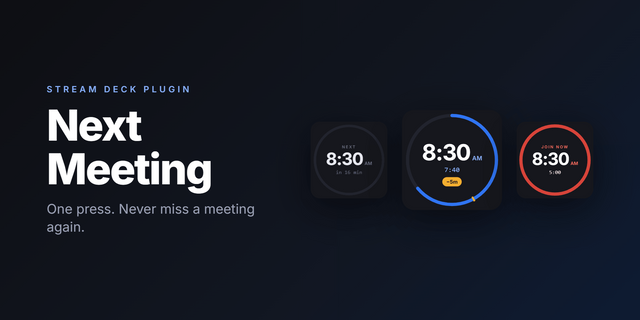
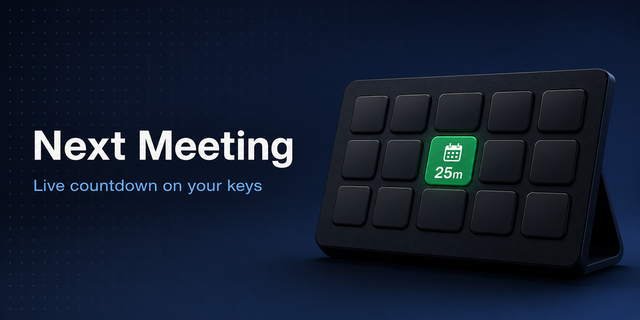
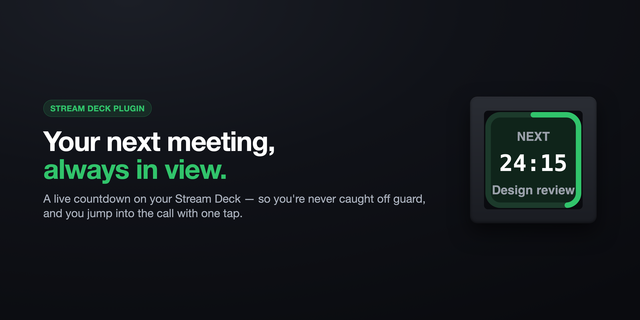
Up Next: Surfaces the current or next scheduled task with a live countdown. Press to mark complete and auto-advance to the next.
Goal Progress: Cycle through active goals with arc-style progress indicators.
Project Progress: Cycle through active projects, sorted with goal-linked projects first, also with arc progress.
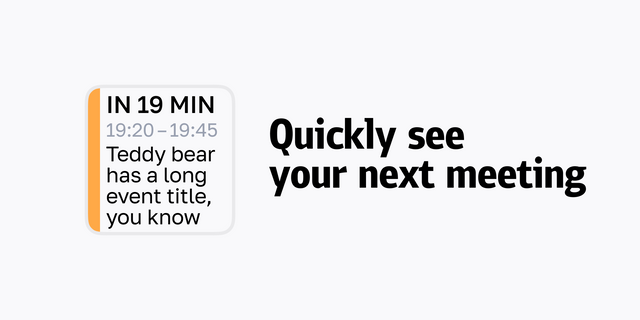
Quick Glance: Auto-rotates between date, next event, and current focus state every ten seconds. Long-press to pin to one mode.
Habit: Pick a habit in the property inspector. The tile shows today's count against your target. Press to log an increment. Shows a checkmark when the goal is hit.
Next Routine: Shows your next uncompleted routine and its start time. Press to mark it done and surface the next one.
Setup
No configuration needed. Install the plugin, drag actions onto your Stream Deck, and make sure the dayGLANCE desktop app is running on the same computer. The plugin connects automatically and reconnects on its own if the app restarts. The only action with a setting is Habit, where you pick which habit the tile tracks.
Requirements
Stream Deck software 6.9 or later
macOS 12+ or Windows 10+
dayGLANCE desktop app running locally
v0.0.2
Ten actions to drive dayGLANCE from your Stream Deck:
Agenda & Up Next: cycle through today's tasks; press to complete the current one
Tomorrow: preview tomorrow's events at a glance
Focus / Pomodoro: start, skip, or stop a Pomodoro session; on the encoder, dial in custom work and break durations
hyperGLANCE: start, skip, and stop project focus sessions; the tile pulses when a session is ready to begin
Goal Progress & Project Progress: arc tiles cycling through active goals and projects, sorted by target date
Habit: pick a habit in the action's settings; press to log one increment
Next Routine: press to mark the next routine in your queue done
Quick Glance: auto-rotates between date, next event, and focus timer; pin to lock on a mode
Works on every Stream Deck model. Requires dayGLANCE Desktop running on the same Mac or PC.
Version 0.0.2
May 5, 2026
Details
Type
Productivity
OS
Mac
Windows
Compatibility
Stream Deck 6.9 or later
Size
236.09 KB
Version
0.0.2
Language
English
Support
Profiles
No
Dial support
Yes
Additional links
You might also like