Gaming
Deck Blasters
by MYndMuzic
Overview
Deck Blasters turns your Stream Deck into a tiny retro arcade.
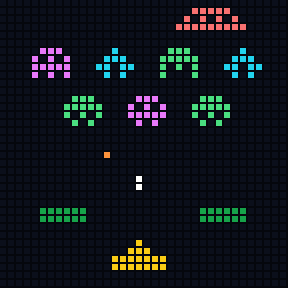
Press Play and your keys become an LED game screen: waves of aliens march down across the keys, a bonus ship flies by, and a scoreboard column on the right keeps your score, high score, level and lives.
How to play
Arrow keys (or A / D) on your PC keyboard: move the cannon
Space: fire (hold for rapid fire) and start a new game
Esc or the EXIT key: return to your previous profile – the game pauses automatically
Tapping a game key on Stream Deck also fires
Features
Full-deck LED graphics with glowing pixels
Three kinds of original aliens, a bonus ship and destructible shields
Retro sound effects (switch them on/off from the scoreboard key)
Extra life every 1,500 points, levels that get faster as you go
Saved high score
Ready-made game profile installed with the plugin: just add the Play key to any page
Requirements
Windows 10 or later
Stream Deck with 15 keys (Stream Deck MK.2)
Privacy
While the game is visible on your Stream Deck, Deck Blasters reads only the arrow keys, A, D, Space and Esc to control the game. Nothing is recorded, stored or sent anywhere. Keyboard input is not read when the game is not on screen. Your high score is saved locally on your PC.
Note: keyboard keys also reach the app in front (for example, Space may scroll a web page) – click on your desktop before playing.
First release of Deck Blasters: a retro arcade shooter for 15-key Stream Deck, with a ready-made game profile, keyboard controls, retro sounds and a saved high score.
Version 1.0.1
Nov 25, 2026
Details
Type
Gaming
OS
Windows
Compatibility
Stream Deck 6.9 or later
Size
2.39 MB
Version
1.0.1
Language
English
Support
Dial support
No
Neo Infobar support
No
Profiles
Yes