Engagement
Deckord
by Qaem
Overview
Deckord — Ultimate Discord Controller for Stream Deck & Stream Deck +
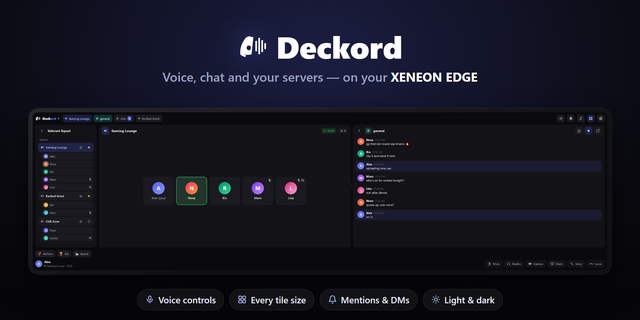
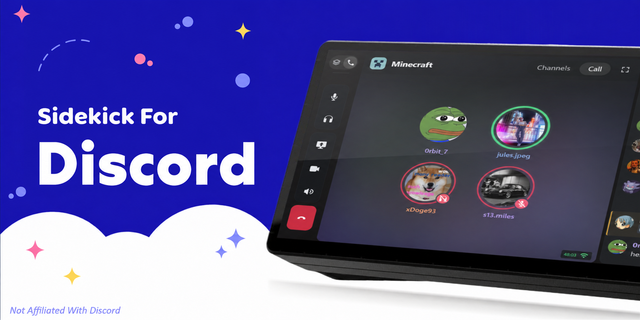
Take total control of Discord. Whether you're in the middle of an intense gaming match, hosting a livestream, or collaborating with your team, Deckord transforms your Elgato Stream Deck and Stream Deck + into a dedicated Discord mission control center.
Navigate entire Discord servers, join and hop voice channels on the fly, adjust individual friend volume levels with physical rotary dials, preview live text chats, trigger soundboard memes, and manage your microphone, camera, and screen sharing all without ever alt-tabbing or leaving your game.
New in 1.2
- Voice Processing: Turn Discord’s noise suppression, echo cancellation or automatic gain on and off from a key, with its state on the key. On a dial, turn to pick one and press to switch it.
- Call Timer: See how long you’ve been in the call, with the channel name and how many people are there.
- See Who’s There: Browse voice channels on a dial and see who’s in each one before you join.
- User volume now matches Discord’s own slider.
Key Features:
Core Voice & Communication Control
- Microphone Mute: Instant toggle with real-time bidirectional status sync and clean red/green visual feedback.
- Audio Deafen: Silence incoming voice and sound effects with a single keypress.
- Push to Talk (PTT): Ultra-low latency, hold-to-talk hardware trigger with responsive visual feedback.
- Push to Mute (PTM): Hold down to cough or sneeze in private without fumbling for keyboard shortcuts.
- Input Mode Switcher: Seamlessly flip between Voice Activity and Push to Talk modes on the fly.
Video & Screen Sharing
- Go Live / Screen Share Toggle: Start or stop your Discord stream with one tap.
- Camera Video Toggle: Turn your webcam on or off instantly with illuminated hardware status.
Turn, Push, Control
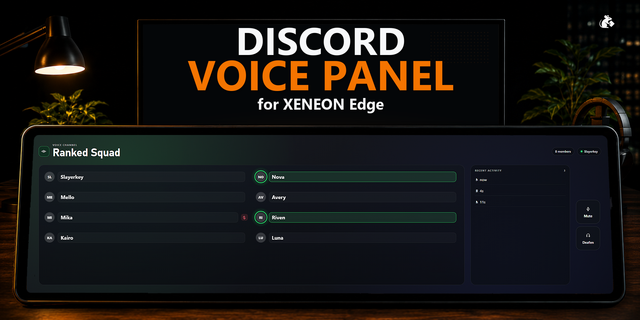
- Voice Channel Browser: View connected channel names, live participant rosters, real-time green glowing speaking indicators, and member counts right on the LCD Touchstrip. Push the dial to disconnect or hop channels.
- Per-User Volume Mixer: Rotate the dial to boost quiet teammates (up to 200%) or lower loud players individually in real-time. Push the dial to instantly mute that specific user.
- Master Discord Volume Dial: Smoothly control master output and input audio levels with dual-channel percentage gauges and push-to-toggle routing.
- Text Channel Live Feed: Preview incoming messages, view author names, and rotate the dial to scroll through recent chat messages.
Interactive Server & Channel Grid Navigator
- Zero Alt-Tab Navigation: Browse your full Discord guild hierarchy directly from Stream Deck keys or rotary dials.
- Visual Server Tiles: See Discord server icons and names. Tap to enter and browse all voice and text channels.
- Instant Channel Hopping: Tap any channel tile to join voice or focus Discord to that channel.
Notifications & Direct Messages Hub
- Live Notification Previews: Receive real-time alerts for direct messages and mentions with avatar previews.
- Unread Counter Badges: Always know when you have unread messages across your Discord communities.
SOME STEPS IS REQUIRED FOR THE SETUP SETUP GUIDE: https://qaemdev.com/guides/deckord-setup
Added
Voice Processing: a key that turns Discord’s noise suppression, echo cancellation or automatic gain on and off, and shows whether it’s on. On a dial, turn to pick one and press to switch it.
Call Timer: a key or dial that shows how long you’ve been in the call, with the channel name and how many people are there.
See Who’s There Before You Join: browsing voice channels on a dial shows who’s in each one. On a key, you see how many.
Improved
The server name on the Voice Channel key no longer runs into the VOICE label.
Fixed
User volume now matches Discord’s own slider: the percent you set is the percent Discord shows.
Version 1.2
Sep 29, 2026
Details
Type
Engagement
Gaming
Productivity
Social
Streaming
Utilities
Video
OS
Windows
Compatibility
Stream Deck 6.9 or later
Size
174.93 KB
Version
1.2
Language
English
Support
Neo Infobar support
No
Profiles
No
Dial support
Yes
Additional links
You might also like