Development

Deep

Overview

Deep turns your Stream Deck+ into a physical control surface for the AI coding agents (Claude Code and compatible) you run in [Orca](https://orca.computer).

Running several agents at once? Instead of hopping between windows, watch them all on an 8-key status board — a color band shows each session's state and the label shows the project. Tap a key to jump straight to that session's terminal.

Steer the focused session with the dials — no keyboard needed:

- Model — turn to pick opus / sonnet / haiku, press to apply

- Effort — turn to pick the reasoning effort, press to apply

- Talk — press to dictate an instruction by voice (on-device macOS speech recognition)

- Target — turn to move focus across sessions, press to jump

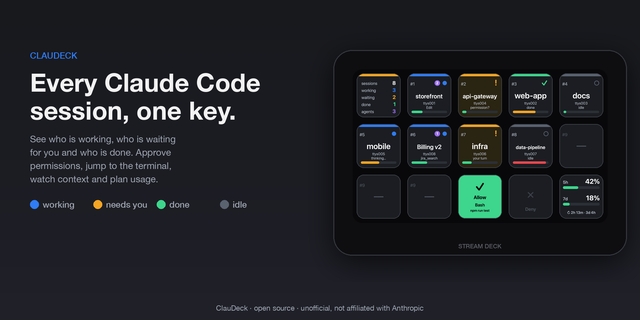
Status colors: working · waiting for input · done · error · idle.

Requirements: macOS · [Orca](https://orca.computer) · a Stream Deck+ (with dials). Best with Claude Code.

The bundled speech-to-text helper is signed and notarized by Apple — no Gatekeeper warnings.

First release of Deep.

- 8-key status board for the AI coding agent sessions you run in Orca — color shows each session's state (working / waiting / done / error / idle), the label shows the project. Tap a key to jump to that session.

- Model dial — turn to pick opus / sonnet / haiku, press to apply.

- Effort dial — turn to pick the reasoning effort, press to apply.

- Talk dial — press to dictate an instruction by voice (on-device macOS speech recognition).

- Target dial — turn to move focus across sessions, press to jump.

Requires macOS, Orca, and a Stream Deck+.

Version 0.1

Jul 24, 2026

Details

Type

Development

OS

Mac

Compatibility

Stream Deck 6.9 or later

Size

167.19 KB

Version

0.1

Language

English

Support

Profiles

No

Dial support

Yes

You might also like
  • seshi
    seshi app icon

    seshi

    by Betula Noir LLC

    ∙

    Development

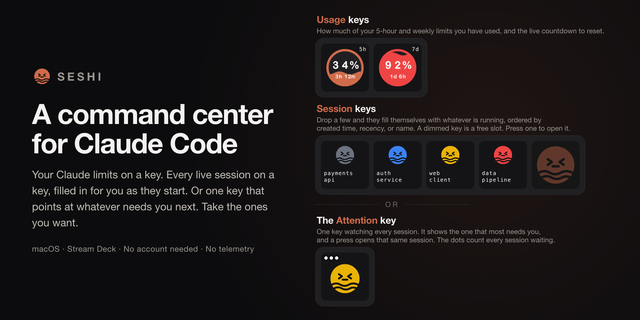
    seshi turns your Stream Deck into a command center for Claude Code. When you run several Claude Code sessions at once, e...

    Free

  • AI Control
    AI Control app icon

    AI Control

    by Carter Lloyds

    ∙

    Development

    Coding agents keep working in terminals you aren’t looking at. Permission prompts sit until you notice. AI Control puts ...

    Free

  • Yap
    Yap app icon

    Yap

    by ChekTek

    ∙

    Development

    Speech to text for Stream Deck. Dictation in every application! Dictate messages, emails, notes, prompts for your AI age...

    Free

  • AgentDeck
    AgentDeck app icon

    AgentDeck

    by Serendipity Bound

    ∙

    Development

    AgentDeck turns Stream Deck and Stream Deck + into a live dashboard for AI coding agents. Follow sessions, see who needs...

    Free

  • StreamDeck-Claude
    StreamDeck-Claude app icon

    StreamDeck-Claude

    by Corrugator Inc.

    ∙

    Development

    Keep an eye on your Claude Code limits without leaving your work: StreamDeck-Claude shows your current session (5 h) and...

    Free

  • Claude & Codex Cost Lite
    Claude & Codex Cost Lite app icon

    Claude & Codex Cost Lite

    by PackRat 🐀

    ∙

    Monitoring

    Claude Code cost on a key. See what Claude and Codex actually cost you today, this week and this month, in dollars, with...

    Free

  • Claude Code Deck
    Claude Code Deck app icon

    Claude Code Deck

    Keep Claude Code within reach while you work. Claude Code Deck gives you a dedicated surface for following your sessions...

    $4.99

  • ClauDeck
    ClauDeck app icon

    ClauDeck

    by onavascuez

    ∙

    Development

    See every Claude Code session on your Stream Deck, one key each, and act on it without touching the keyboard. Blue means...

    $4.65