Productivity
Desktop Toggles for Windows
by GRAMSHIFT
Overview
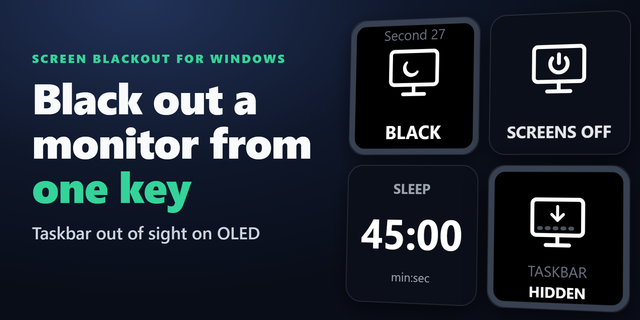
Switch the Windows display settings you change most from your Stream Deck, one key each: dark mode, taskbar auto-hide, desktop icons, hidden files and file extensions. Clean Desktop hides the desktop icons and the taskbar before screen sharing or recording, and the next press puts them back as they were. Every key shows the current state reported by Windows.
Features
Dark Mode: dark or light for apps and Windows (taskbar, Start), or for apps only
Taskbar Auto-Hide: "Automatically hide the taskbar" on or off
Desktop Icons: show or hide the icons on the desktop (your files stay where they are)
Hidden Files & Extensions: show or hide hidden files and file name extensions in File Explorer (one or both)
Clean Desktop: hides the icons and the taskbar; the next press puts them back as they were (a taskbar that already hid itself stays that way)
The keys follow changes made in Windows Settings, File Explorer or the desktop menu
Saved the same way the Settings app saves them, so changes survive a restart
If Windows refuses a change, the key says so and shows the real state
English and Japanese
Privacy
Runs entirely on your PC. No account, no telemetry, no network requests.
Requirements and limits
Windows 10 or later, Stream Deck app 6.9 or later
Apps with their own theme setting keep it; Dark Mode switches the apps that follow Windows
Protected operating system files stay hidden
Changes to settings managed by your organization may be blocked
First release with five actions. Dark Mode switches apps (and Windows) between dark and light. Taskbar Auto-Hide and Desktop Icons turn those settings on or off. Hidden Files & Extensions shows or hides them in File Explorer. Clean Desktop hides the icons and the taskbar and puts them back. English and Japanese.
Version 1
Oct 6, 2026
Details
Type
Productivity
Utilities
OS
Windows
Compatibility
Stream Deck 6.9 or later
Size
806.12 KB
Version
1
Language
English
Japanese
Support
Profiles
No
Neo Infobar support
No
Dial support
No
Additional links
You might also like