Social
Discord Stream Deck Profile
by PackRat 🐀
Overview
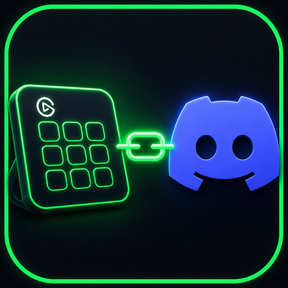
Discord Stream Deck profile with live mute, deafen, camera and screen share toggles using the official Discord integration.
Discord essentials on Stream Deck, built on the official Discord plugin: keys show your live voice state and control mute, deafen, push to talk, camera and screen sharing from inside any game.
Works on Stream Deck MK.2 and Stream Deck XL, for Windows and macOS.
Mute, deafen, camera, share. Live on your deck.
Live state - Mute and deafen keys update the moment your Discord state changes.
Camera and screen share - Toggle both mid-call without opening Discord.
Push to talk - Hold-to-speak plus a voice activity mode switch.
Focus tools - Notification key and one-tap audio device switching.
Zero setup - Authorize the official Discord integration once, no keybinds to configure.
Requires the free official Discord plugin for Stream Deck, offered automatically on install.
---
Part of the Packrat profile collection for Stream Deck. Game decks, streamer decks and editing decks, all on the marketplace at @packrat.
Discord, Stream Deck profile, mute, deafen, camera, screen share
- Live-state mute and deafen keys, push to talk, voice mode switch.
- Camera and screen share toggles, notification key, audio device swap, quick switcher.
- Authorize Discord once on first press, no keybind setup.
Version 1
Jul 24, 2026
Details
Type
Social
Device
Stream Deck MK
Stream Deck XL
OS
macOS
Windows
Compatibility
Stream Deck 7.1 or later
Size
82.88 KB
Version
1
Support
Icons
Yes
Additional links
You might also like