Productivity
Doppio
Overview
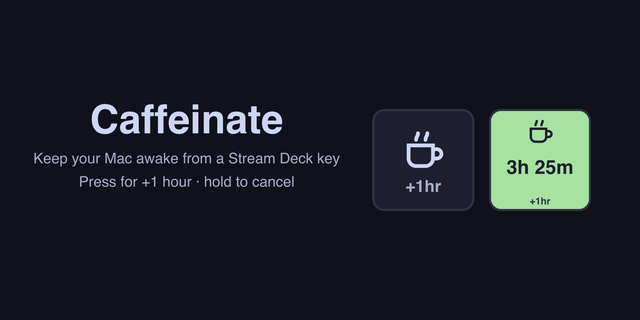
Keep your Mac awake and prevent macOS from sleeping directly from your Stream Deck—without opening Terminal. Doppio is a visual Stream Deck plugin and caffeine-style utility powered by macOS’s built-in caffeinate command.
Use Stream Deck keys or Stream Deck + dials to start, monitor, extend, and stop a caffeinate session. Every configured Doppio action stays synchronized, giving you a clear and convenient way to control when your Mac remains awake.
Keep your Mac awake from Stream Deck
Doppio provides a visual interface for the macOS caffeinate command. It is designed for anyone looking for a Mac caffeine app, sleep-prevention utility, or Stream Deck plugin that can keep a Mac awake during downloads, presentations, long-running tasks, media playback, remote access, or any activity that should not be interrupted by automatic sleep.
Set an awake duration in 30-minute increments, from 30 minutes to 5 hours, or choose an indefinite caffeinate session. While Doppio is active, you can add more time or stop the session whenever you need.
Your keys and dials, working as one
Start a session from any configured Doppio action and every Doppio key and dial will reflect its current status. Each control keeps its selected visual theme, while the active duration and time information remain synchronized across your Stream Deck devices connected to the same Mac.
See your caffeinate session your way
Choose the time information that works best for you:
Remaining session time
Elapsed time
The exact time the session will end
When an indefinite session has kept your Mac awake for more than six hours, Doppio changes its status color to make the long-running caffeine session easy to notice.
Stream Deck keys, dials, and visual feedback
The Doppio key action works with Stream Deck Mini, MK.2, XL, Neo, and Stream Deck Mobile.
On Stream Deck +, Doppio also provides a dedicated dial action with rotation controls, touch-strip interaction, and a custom LCD display.
Stream Deck Neo keys are supported. The Neo Infobar is not supported.
Four themes. Only three contain caffeine.
Choose the visual style that fits your Stream Deck setup:
Coffee Cup
Mug
Paper Cup
Toggle
Not into coffee? There’s a Toggle theme for that.
A visual interface for the macOS caffeinate command
macOS already includes the caffeinate command, and you can use it for free from Terminal. Doppio does not replace or reinvent caffeinate. It provides a simpler, visual, and more enjoyable way to control this built-in Mac keep-awake command from your Stream Deck.
Whether you search for a caffeine app for Mac, a macOS sleep-prevention tool, a caffeinate wrapper, or a way to keep your Mac awake using Stream Deck, Doppio brings those controls together in one synchronized interface.
Private by design
Doppio does not collect telemetry, access the internet, or run its own update service. Plugin updates are delivered through Elgato Marketplace by the Stream Deck app.
Requirements
macOS 12 or later
Stream Deck software 7.1 or later
A compatible Stream Deck device
Stream Deck + is required for the dial action
Doppio is available for macOS only. Windows is not supported.
Artwork adjustments
Version 1.0.8
Sep 22, 2026
Details
Type
Productivity
Utilities
OS
Mac
Compatibility
Stream Deck 7.1 or later
Size
1.6 MB
Version
1.0.8
Language
English
Support
Profiles
No
Dial support
Yes
Additional links
You might also like