Business
Draw on Screen and Highlight
by GRAMSHIFT
Overview
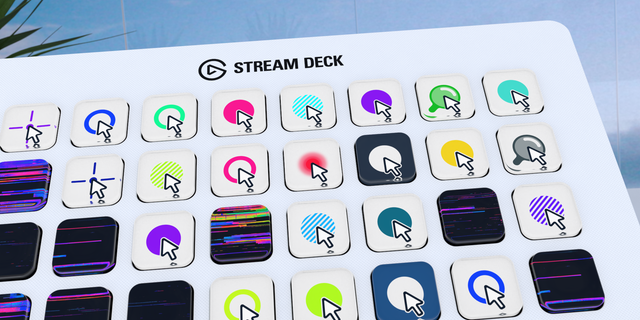
Draw on screen and highlight your mouse cursor from Stream Deck on Windows while you present, share your screen in Teams or Zoom, or record tutorials. One key each turns on a pen and marker with arrows and boxes, a cursor ring or glow, a spotlight, a laser pointer, click ripples or a magnifier, and lights up while it is on.
Six keys
Draw on Screen: pen or see-through marker; Shift for lines, Ctrl for arrows, Ctrl+Shift for boxes, right-click to undo. Keep lines on screen and click through them.
Cursor Highlight: ring, soft glow or disc, 10 colors, 4 sizes.
Spotlight: dims all but a soft circle at the pointer, or the window in front.
Laser Pointer: a glowing dot with a fading tail.
Click Ripples: left and right clicks in two colors.
Magnifier: a round lens at the pointer, 1.5x to 4x.
Made for presenting Pointer effects let clicks through to your apps. While you draw, the keyboard stays with your app, so arrow keys turn slides. One key per color: press another to switch. Esc twice turns all off. Five key looks, English and Japanese.
FAQ Will viewers see it in Teams or Zoom? Yes, when you share or record your whole screen. Does it block my mouse? Only the pen takes clicks, while you draw.
Limitations Share the whole screen, not one window. Exclusive full-screen games cover the effects; borderless works. Windows 10+ (tested on Windows 11), Stream Deck 6.9+.
Idea or bug? Use the Support link. Every message is read.
Fixes the settings page staying on "Waiting for the plugin..." when it was opened before the plugin connected. If the plugin does not answer, the page now says so within a few seconds and what to do. If the screen helper cannot start, it is tried once more automatically; the key then shows ERROR / press to retry and the settings page gives the reason. The plugin keeps running after an unexpected error and writes it to its log.
Version 1.0.1
Oct 16, 2026
Details
Type
Business
Productivity
Streaming
Utilities
OS
Windows
Compatibility
Stream Deck 6.9 or later
Size
229.29 KB
Version
1.0.1
Language
English
Japanese
Support
Neo Infobar support
No
Profiles
No
Dial support
No
Additional links
You might also like