Gaming
Drive Deck for BeamNG.drive
by GRAMSHIFT
Overview
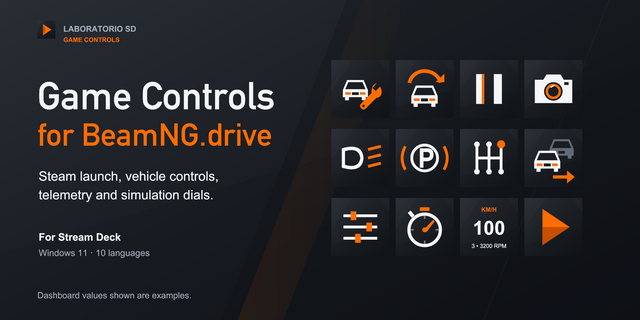
For BeamNG.drive players: live gear, shift lights, speed, rpm, fuel, temperatures, boost and dash lights on your Stream Deck, from the game's OutGauge telemetry. Keys flash at the shift point, light up with high beam, signals and parking brake, and press the game's controls to recover, reset or switch camera.
Turn on OutGauge once in the game, drag a key on, and your Stream Deck is a BeamNG dashboard and button box on Windows, and a dashboard on a Mac.
Features
Gear with shift lights that flash at the shift point (the car's own light, learned as you drive, or your rpm), also on a Stream Deck + dial
Speed, rpm, fuel, water and oil temperature, boost and pedals, or gear, rpm, speed and fuel on one key
Dash lights as the car shows them. A press switches parking brake, high beam, signals, hazards and engine
Recover, reset, camera, horn, ignition, shifting and more on the game's default keys
Classic, Neon or Carbon looks, metric or imperial units, English and Japanese
Setup
In the game (no mod): Options > Other > Protocols > OutGauge UDP protocol on, IP 127.0.0.1, port 4444. Until data arrives, the key says what to do
Game on a second PC, or Stream Deck on a Mac: choose This PC and the network in Receive from, and use the address shown in the key settings as the OutGauge IP
Requirements
Stream Deck app 6.9 or later on Windows 10 or later, or macOS 12 or later
BeamNG.drive on a Windows PC
Limits
Game keys go only to a game on this Windows PC; with a second PC or a Mac the keys show telemetry only
Presses reach BeamNG.drive while it is the active window (not run as admin): its default keys (US layout) or yours
ABS, ESC, oil and shift lights only show
Unofficial. BeamNG.drive is a trademark of BeamNG GmbH.
Need help or an idea? Use the Support link, we read every message.
New Game Controls on the game's default keys: slow motion on or off, slower and faster, next and previous vehicle, ESC mode, radial menu, and Start game (opens BeamNG.drive through Steam). On a Stream Deck + dial, turn a Game Control for slower or faster, the next or previous vehicle, or shift up and down. Hold to send: a key sends only after you hold it for a second (on a dial's touch screen, a long touch). Record a key: in the settings, press the key you want to send. A new Rally look. Keys and settings in English, Japanese, German, Spanish, French, Korean and Chinese. The High beam key now switches only the high beam.
Version 1.1
Nov 11, 2026
Details
Type
Gaming
OS
Mac
Windows
Compatibility
Stream Deck 6.9 or later
Size
958.59 KB
Version
1.1
Language
Chinese
English
French
German
Japanese
Korean
Spanish
Support
Profiles
No
Neo Infobar support
No
Dial support
Yes
Additional links
You might also like