Artistic
DxO PhotoLab Complete
Overview
DxO PhotoLab on Stream Deck, for Windows and macOS: 111 shortcuts in 13 categories, eight keys lit from PhotoLab's own state, ten dial actions that turn PhotoLab's sliders with its live value on the touch screen, the film strip across the dial screens, and a T9 number pad keyboard.
ON A MAC, ALLOW TWO PERMISSIONS
Give the Stream Deck app Accessibility, and let it control System Events when the first key asks. Missed one? System Settings > Privacy & Security > Accessibility or Automation, turn Stream Deck on, then restart the Stream Deck app. No Full Disk Access. The first start needs the network once, for the Stream Deck app's Node 24 runtime.
KEYS THAT READ PHOTOLAB
Eight keys read PhotoLab's window and light only while PhotoLab shows that state, even one set from its toolbar: Highlight Clip, Shadow Clip, Monitor Gamut, Output Gamut, Single View, Full Screen, Compare (Hold) and Panels. On a Mac, Compare (Hold) lights while you hold it.
TEN DIAL ACTIONS
Zoom (press to fit; shows PhotoLab's zoom percentage), Exposure, WB Temperature (RAW and JPEG), WB Tint (RAW only), Contrast, Highlights, Rotation (the Horizon slider), Omni (up to three sliders you pick from 15; press for the next), History Scrub (undo and redo, your History step on screen) and Image Navigate (previous and next image, and the film strip).
Slider dials work on the selected image in Customize: press and turn for fine steps, one undo step per change. A press resets Exposure, WB Tint, Contrast, Highlights and Rotation to 0.
THE FILM STRIP ON THE TOUCH SCREEN
With Image Navigate on a Stream Deck + or Stream Deck + XL, the dial screens show your open project or folder, your current picture ringed. Turn to move, tap a picture to jump, press to fold. It needs PhotoLab's film strip sorted by name, in PhotoLab's own order on each platform.
T9 NUMBER PAD KEYBOARD
Type values and names from the deck: 123, abc and ABC, multi-tap like a phone. On every page of the Stream Deck + XL and Stream Deck XL, and on its own page on the Stream Deck. With PhotoLab in front and no text field selected, it holds back letters, Space and Delete (on a Mac, digits and Enter too).
EVERY COMMAND A KEY
Each key sends PhotoLab 10.1's own shortcut to the window in front, from Cull and Color Labels to Mask Tools and ReShape Nudge. Hand (Hold) and Compare (Hold) are press and hold. Changed a shortcut in PhotoLab? Click Capture key in the inspector and press it. Works in Multi Actions.
ON MACOS
46 of the 111 commands send PhotoLab for macOS's own chord. Nine Mask Tools keys press PhotoLab's tool buttons, so they work from anywhere in Customize. Refresh, Maximize, Miniature, Search, New Group, Append Keywords and Rename do nothing there (no macOS equivalent); the ReShape Nudge keys are untested.
EASY LINK, BUILT IN
Hold the Easy Link key about a second with PhotoLab in front: its profile then comes up whenever PhotoLab takes focus, and your previous one returns when you leave.
SIX PROFILES IN THE BOX
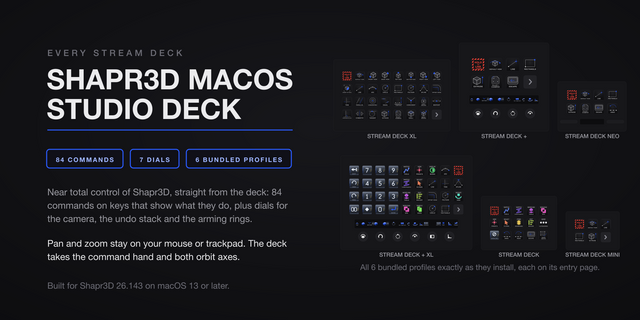
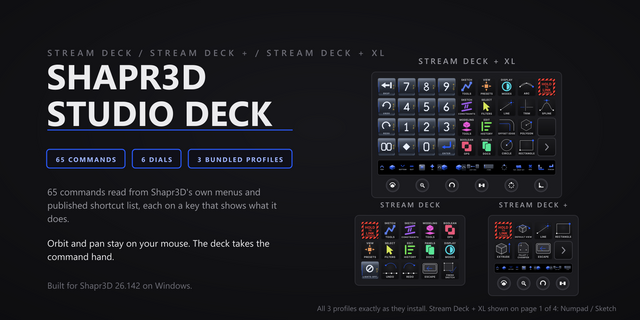
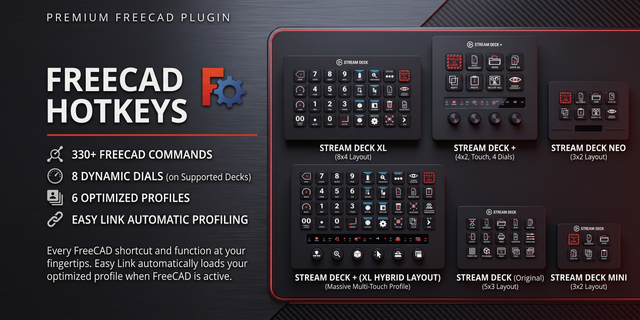
The Stream Deck, Stream Deck XL and Stream Deck + XL carry the category hub, all 111 commands and the pad; the Stream Deck + XL adds six dials. The Stream Deck + has four dials and seven keys; the Stream Deck Mini and Stream Deck Neo, eight and fifteen keys. Easy Link sits on the first key of each.
SOUNDS
33 sounds ship in the box; command keys stay silent until you pick one. Pairs with our free Sound Sampler: record any sound on your PC and play it from any key.
REQUIREMENTS
Windows 10 or newer, or macOS 15 or newer (PhotoLab for macOS needs 15.7), and the Stream Deck app 7.1 or newer. Tested against DxO PhotoLab 10.1 Elite on Windows and PhotoLab 10.1 on Apple silicon Macs. English-language PhotoLab only. ReShape, Miniature and the ReShape Nudge keys need DxO ViewPoint, as do the perspective tools on PhotoLab Essential. Dials and the touch screen need a Stream Deck + or Stream Deck + XL.
Local only: no account, no telemetry, and nothing leaves your machine.
Version 2.0.0.0: a quicker, steadier film strip, white balance on JPEG files, Mac fixes and an Easy Link update. For DxO PhotoLab 10.1 on Windows 10 or newer and macOS 15 or newer.
Film strip: the navigate dial jumps on the first detent, the ring stays on the selected picture, a virtual copy included, and the strip holds while PhotoLab shows no selection. It redraws faster and reads PhotoLab less often while PhotoLab is behind another window or closed. Flipping back to a page no longer leaves the strip blank.
WB Temperature now turns a JPEG's white balance too. A JPEG has no Tint, so WB Tint stays RAW only.
On a Mac, each slider dial change is now its own undo step, as on Windows, and the film strip no longer disappears on a virtual copy.
Pick by face: in a command key's settings, the command list is now a grid of the key art itself.
Fixed: a custom hotkey captured with a numpad +, -, *, / or . never fired, nor one with an arrow key on Windows. A hotkey captured that way before this update keeps its old value, so capture it again.
Easy Link: the linked key shows the app's own icon when one can be read, the settings list each linked app with the face it wears, and a failed link plays a shorter chime. Easy Link is now a key action only; if you put it on a dial, move it to a key.
Helper processes now start in your temp folder, so they no longer block the Stream Deck app from installing a later update.
Everything else from 1.0.0.0 carries over.
Version 2
Oct 16, 2026
Details
Type
Artistic
Lighting
Monitoring
Productivity
Utilities
Video
OS
Mac
Windows
Compatibility
Stream Deck 7.1 or later
Size
7.93 MB
Version
2
Language
English
Support
Neo Infobar support
No
Profiles
Yes
Dial support
Yes
Additional links
You might also like