Audio
EasyPrompter
by EasyPrompter
Overview
Control your EasyPrompter teleprompter directly from your Stream Deck. Designed for broadcast professionals, content creators, and anyone who needs reliable, tactile teleprompter control.
Button Actions
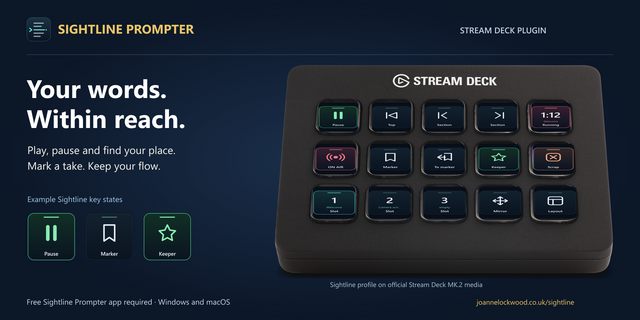
Play / Pause — toggle playback with live state feedback
Speed Up / Speed Down — adjust scroll speed in configurable steps
Next Marker / Previous Marker — jump between script markers
Fast Forward / Rewind — hold to scrub through your script
Reset to Start — return to the beginning
Blackout — blank the teleprompter display
Load Script — switch scripts instantly with per-button assignment
Dial & Encoder Actions (Stream Deck+)
Speed Control — rotate to adjust speed, press to reset, touch to play/pause
Shuttle Control — variable-speed scrolling with visual displacement indicator
Scroll Wheel — jog/nudge the scroll position frame by frame
Font Size / Line Height / Margin — fine-tune display settings on the fly
Live Info Displays
• Timer — shows elapsed or remaining time (tap to toggle)
• Progress — script completion percentage
• Script Title — displays the currently loaded script name
Features
Real-time button state updates (playing, paused, connected, blackout)
Custom encoder layouts with live value indicators
Configurable step sizes for speed, font, line height, and margin
Works over your network — no USB connection to the prompter required
Requirements
EasyPrompter account with Remote Control enabled (Settings → Integrationl)
Stream Deck software 6.7 or higher
For setup help, visit https://beta.easyprompter.com
Fixes the default EasyPrompter server URL, automatically migrates affected saved settings, and restores Fast Forward and Rewind controls.
Version 0.3.3
Nov 11, 2026
Details
Type
Audio
Productivity
Streaming
Utilities
Video
OS
Mac
Windows
Compatibility
Stream Deck 6.9 or later
Size
399.3 KB
Version
0.3.3
Language
English
Support
Profiles
No
Neo Infobar support
No
Dial support
Yes
You might also like