Productivity
Edge Timer
Overview
A touch-first XENEON EDGE countdown timer with a customizable perimeter progress ring.
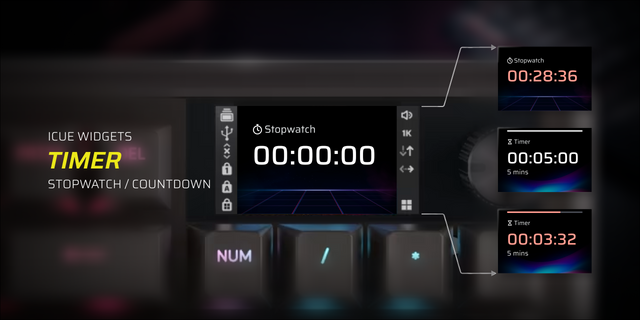
Edge Timer transforms your CORSAIR XENEON EDGE into a focused, glanceable countdown. Set your preferred duration in iCUE, start the timer with a tap, and watch the remaining time trace the outer edge of the widget.
The interface keeps distractions out of the way: a large central countdown, generous touch controls, and a perimeter progress indicator that is easy to read from across the desk. Pause and resume without losing your place, or reset instantly when you are ready to begin again.
Personalize the timer with adjustable text, accent, background, track, and reset colors. Fine-tune the background transparency, progress thickness, status label, completion glow, and corner radius. The layout automatically adapts across Small, Medium, Large, and Extra Large XENEON EDGE slots in horizontal and vertical orientations.
HIGHLIGHTS
Large, glanceable countdown display
Touch controls for start, pause, resume, and reset
Remaining-time progress around the widget perimeter
Adjustable duration from 1 to 120 minutes
Custom text, accent, background, track, and reset colors
Adjustable transparency, progress thickness, and corner radius
Optional status label and completion glow
Responsive design for every XENEON EDGE layout
No account, companion app, plugin, or internet connection required
COMPATIBILITY
Designed exclusively for CORSAIR XENEON EDGE. Supports every size and orientation on Windows with iCUE 5.47 or newer.
Edge Timer runs entirely locally and makes no network requests.
Initial Release
Introducing Edge Timer, a clean and customizable countdown timer designed for all XENEON EDGE layouts. Start, pause, resume, and reset timers directly from the widget while the remaining time is displayed through a dynamic progress ring around its outer edge.
Customize the timer colors, background, progress ring, and corner style to match your setup.
Version 1
Sep 15, 2026
Details
Type
Productivity
Smart Home
Utilities
Device
XENEON EDGE
OS
Windows
Size
35.96 KB
Version
1
Language
English
Support
Dashboard Sizes
Extra large
Large
Medium
Small
Recommended Orientation
Horizontal
Vertical
Interactive
Yes
You might also like