Audio
Editing Keys for REAPER
by GRAMSHIFT
Overview
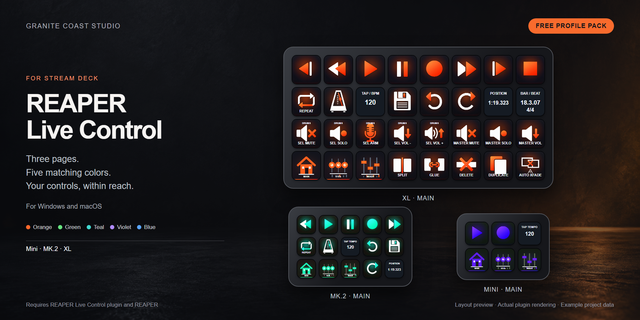
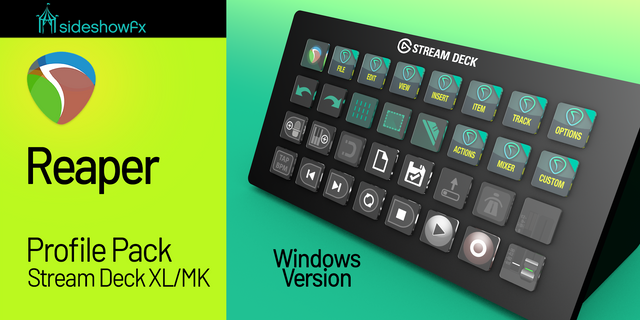
A Stream Deck profile that puts REAPER's keyboard shortcuts on labeled buttons: 169 keys on 10 pages for recording, editing, takes, markers, tracks and the MIDI editor, on a Stream Deck MK.2 (15 keys) for Windows. Keep REAPER in front and press a key: it uses REAPER's default shortcuts.
Split, glue, crossfade or jump to marker 1-9 with one press each.
10 pages
Transport: play, record, repeat
Markers & Regions: markers 1-9, regions
Items: split, glue, crossfade, trim
Takes & Item Edit: takes, normalize
Tracks & Mixer: volume, mixer, routing
Zoom & Scroll: zoom, scroll, fullscreen
Windows & Views: big clock, docker
Snap & Options: snap, grid, ripple
Edit & File: undo, paste, save, render
MIDI Editor: quantize, humanize, transpose
Details
Big pages open a MORE folder.
Keys that delete or cut are red, set apart in folders.
FAQ
Changed a shortcut in REAPER? Edit that key's Hotkey in Stream Deck.
Where do MIDI keys work? With the MIDI editor active (page 10). In the main window the same keys split, delete or select items.
Requirements
Windows, Stream Deck app, Stream Deck MK.2 (15 keys)
REAPER, default key bindings (made with 7.82)
Limits
Actions with no default shortcut (solo, record arm) are not on a key.
Shortcuts only on symbol keys, numpad or Shift+arrows are left out.
Idea or bug? Use the Support link. Every message is read.
REAPER is a trademark of Cockos Incorporated. Not affiliated with or endorsed by Cockos.
First release: 169 keys for REAPER's default shortcuts on 10 pages (Transport; Markers & Regions; Items; Takes & Item Edit; Tracks & Mixer; Zoom & Scroll; Windows & Views; Snap & Options; Edit & File; MIDI Editor) for Stream Deck MK.2 (15 keys) on Windows.
Version 1
Oct 14, 2026
Details
Type
Audio
Creative Tools
Device
Stream Deck MK
OS
Windows
Compatibility
Stream Deck 6.4 or later
Size
1.28 MB
Version
1
Language
English
Support
Icons
Yes
AI Content
Yes
Additional links
You might also like