Productivity
Espresso
by cos scarpa
Overview
Never let your Mac fall asleep mid-workflow again.
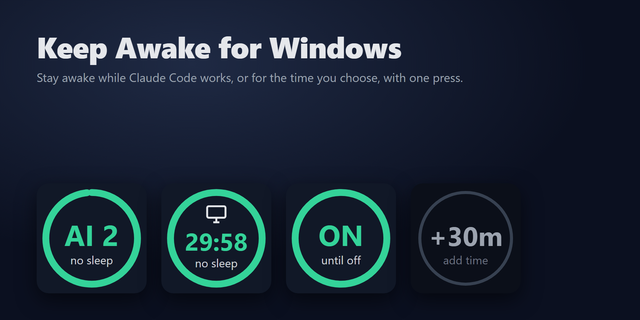
Espresso keeps your Mac awake for exactly as long as you need — and stops the moment it's no longer needed. A live countdown ring drains across your Stream Deck key, turning orange then red as the session nears its end. Auto-Espresso ties directly into Claude Code and Codex so the session starts when your agent starts and stops the instant it finishes.
What it does
macOS will put your display to sleep and stop background processes if you walk away from a long-running AI task. Espresso prevents that without leaving a permanent keep-awake tool running in the background.
Tap the key to start a timed session. The ring drains in real time from your accent colour through orange to red. Tap again to stop. Double-tap to add an hour. Hold to reset.
For AI workflows, Auto-Espresso integrates with Claude Code and Codex at the runtime level — not by asking the model to do anything. Hooks fire on every tool call and send a heartbeat to the plugin. When the session ends, Espresso clears itself. Works over SSH to remote servers too.
Who it's for
If you run long AI workflows via Claude Code, Codex, or a custom agent and are tired of your Mac going dark or losing terminal sessions mid-task, this is for you. Also useful for video renders, uploads, builds, or focus sessions with a hard end time.
Key features
Live countdown ring — key border drains from full to empty, shifting from your accent colour to orange then red
Auto-Espresso — integrates with Claude Code, Codex, and any custom agent via a local HTTP API. Session starts and stops automatically with the agent. Works locally and over SSH
Process mode — stay awake until a named app exits. The tile shows ∞ and the session ends when Claude Code, Codex, Cursor, VS Code, OBS, or a custom app closes
Native menu bar app — shows time remaining with timed sessions, process-watch mode, add time, and stop. Turns accent-coloured when active
Lite Rest — after 15 minutes of inactivity, sleeps the display and keyboard backlight while keeping the Mac awake for the AI task. Wakes on any keypress
Cursor nudge — moves the cursor 1 px on a configurable interval to prevent the screensaver and keep Slack from marking you away
No background services — runs caffeinate, a built-in macOS tool. Nothing runs when Stream Deck is not open
No permissions required — no sudo, no system extension, no accessibility permissions
Session survives restarts — timer picks up from where it left off if Stream Deck restarts
Requirements
macOS 10.15 or later
Stream Deck 7.1 or later
Any Stream Deck hardware with physical keys
Gestures
Tap — start session/stop session Double-tap — start + 1 hour / add 1 hour Hold (2 s) — start session/reset to configured duration
Notes
Auto-Espresso uses a local server on 127.0.0.1:59284, not reachable from outside your machine. A shared secret at ~/.espresso-secret authenticates every request
Sessions auto-expire 35 minutes after the last heartbeat. A configurable hard cap (default 4 hours) stops the session unconditionally
One-time purchase. No subscription required.
Part of the Microdash family of Stream Deck plugins
First release
Version 1.3
Jun 26, 2026
Details
Type
Productivity
OS
Mac
Compatibility
Stream Deck 7.1 or later
Size
287.69 KB
Version
1.3
Language
English
Support
Profiles
No
Dial support
No
Additional links
You might also like

-thumbnail-optimized-cbc32794-b6cb-4381-b92a-ed96edc11991.png)