Farming Simulator 25 - Stream Deck XL Farmhand
by FlowKits
Overview
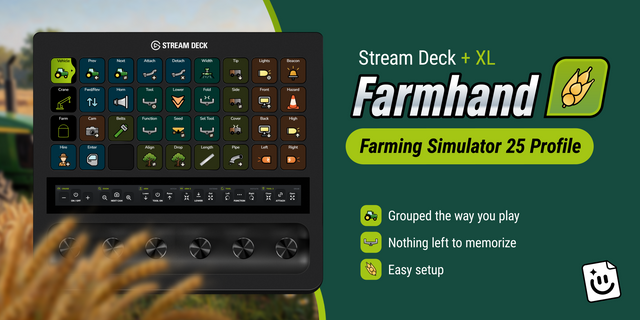
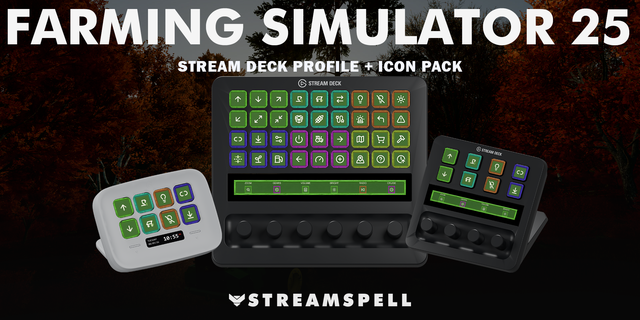
🚜 Farming Simulator 25 profile for the Stream Deck XL, built on the game's own default controls.
Farming Simulator 25 has more keybinds than anyone keeps in their head. Y seeds, V lowers, Shift+V folds, and J moves something different on every machine you climb into. Farmhand puts those hotkeys on labeled keys carrying a picture of the thing they move 🚜
--
✅ 41 actions across two pages: Vehicle, and Farm \& On Foot.
✅ Runs on the FS25 default keybinds. No keyboard file, nothing to configure.
✅ Windows and Mac, correct modifiers automatically.
--
📈 Want live farm data and automated page changing?
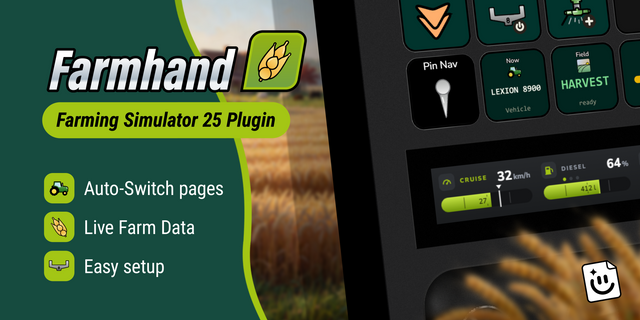
This profile is hotkeys only. The Farmhand plugin (Windows only) adds so much more. Live data keys and dials, pages that switch themselves, and worker alerts: 👉 https://marketplace.elgato.com/product/farming-simulator-25-farmhand-plugin-e94ed325-e221-4481-9512-9cdcf842a86c
--
🗂️ Grouped the way you play
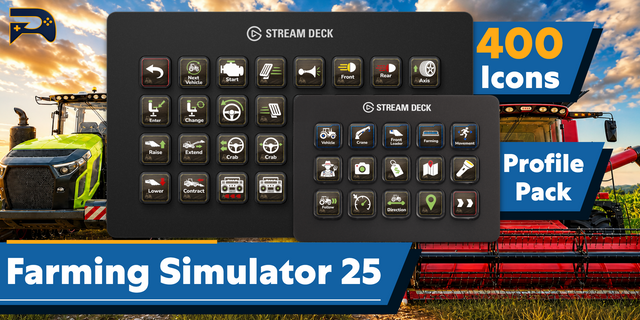
Thirty actions sit on the Vehicle page at once, so the whole working loop is in front of you instead of hiding behind a folder. Driving down the left, implements through the middle, tipping and unloading in the next column, lights along the right edge. Every group holds the same spot, so your hand learns the position once and stops looking.
--
🧠 Nothing left to memorize
J raises a hitch on a tractor, a boom on a loader, a reel on a combine. Same key, three different jobs, and the game never tells you which one you are about to do. Here it is a labeled picture of the thing that moves, so you press what you mean.
--
🎚️ The analog jobs, on keys
The XL has no dials, so the things you would twist are stepped instead. Cruise down, cruise up and cruise on/off sit together as three keys, in fixed increments you can count rather than feel. Time of day gets slower and faster. The radio gets channel down, channel up and a play key.
Same jobs, and arguably more repeatable: three taps is always three steps.
--
📦 What's Inside
- Two pages: Vehicle, and Farm \& On Foot
- Seeding, harvesting, tipping, forestry and loader work on one page
- Persistent left-column nav with anchored Hire Helper and Enter/Exit
- Cruise control, time of day and radio on dedicated keys
- Hand-drawn icons, drawn for this profile
- Color-coded groups and editable labels in any language
- Windows and Mac profiles, both included
--
🚀 Easy setup
1. Extract the .zip
2. Double-click the profile for your platform to import it
3. Start Farming Simulator 25
Nothing else to install and no keybinds to change. It uses the game's own default controls, so it works on a fresh install.
--
📥 What's Included
✅ Farming Simulator 25 Stream Deck profile for the XL, Windows and Mac
✅ Full FS25 key icon set as PNGs
✅ Online setup guide
--
ℹ️ Good To Know
On Mac the Help key uses F1, which macOS grabs before the game sees it. The setup guide has the one-line fix. And if you play on a QWERTZ or AZERTY keyboard, Farming Simulator 25 itself ships US bindings and asks you to rebind, so a few keys will want your attention there.
--
🎯 Perfect For
Contract farmers watching the clock. Anyone who spends more time on a front loader than a tractor. Forestry players juggling a crane, a trailer, and a grab. Harvest runs where the combine, the pipe and the trailer all want you at once. Players on a wheel and pedals who have run out of buttons to bind.
🚜 One profile. Two pages. Less Thinking, More Farming.
--
Disclaimer
This Stream Deck profile is an independent creation, not affiliated with or endorsed by GIANTS Software. Farming Simulator is a trademark of GIANTS Software GmbH, used solely to identify compatibility.
What's New!
AZERTY and QWERTZ keyboard support. If you're on a French, Belgian, German, Swiss, or Austrian keyboard, some keys were firing the wrong thing. Attach steered the tractor instead of hitching the trailer. That's fixed. Use the profile in the "Non-US Keyboards" folder inside your download. QWERTY keyboards need nothing new, and neither does Mac. A French customer reported this one, which is the only reason it's fixed - thank you!
A Fill key. For refueling, and for filling seed and fertilizer tanks. It was buried where nobody would find it from inside a cab. It's now on every deck.
One tradeoff. The XL was completely full, so the hazard and indicator lights came off to make room for Fill. The key icons pack in your download has what you need if you'd rather build them back.
Key icons pack updated with the new Fill icon.
Version 1.1
Aug 18, 2026
Details
Device
Stream Deck XL
OS
macOS
Windows
Compatibility
Stream Deck 7.1 or later
Size
1.55 MB
Version
1.1
Support
Icons
Yes
Additional links
You might also like