Audio
Fender Studio Control Suite
Overview
Take Control of Fender Studio Pro
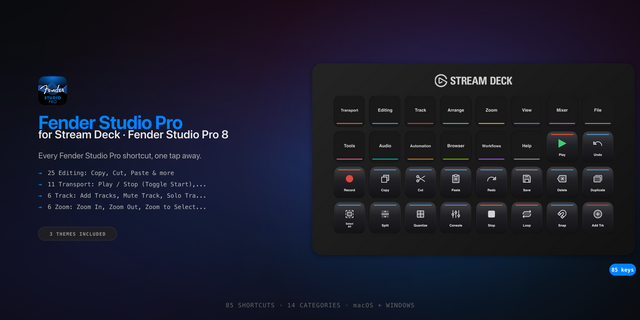
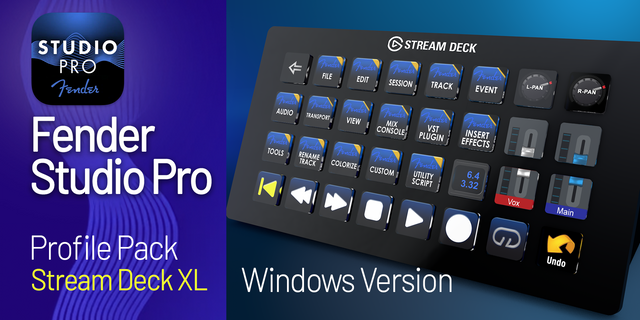
Fender Studio Control Suite transforms your Elgato Stream Deck into a powerful, purpose-built control surface for Fender Studio Pro. Access recording, editing, mixing, navigation, transport, piano roll, arranger, automation, and workflow commands without constantly reaching for your keyboard or searching through menus.
Built for producers, musicians, engineers, and content creators, the suite gives you fast, visual access to the tools you use most—helping you stay focused on your music and move through sessions more efficiently.
A Complete Fender Studio Pro Workflow
Choose from hundreds of organized actions covering key areas of Fender Studio Pro, including:
Transport and recording
Editing and arrangement
Mixer and channel controls
Track and event management
Piano Roll tools and functions
Navigation and zoom
Looping and marker controls
Automation
Quantization and timing
File, project, and window commands
Tool selection
View and workspace controls
Undo, redo, copy, paste, and other essential operations
Actions are grouped into clear categories, making it easy to find the command you need and build Stream Deck pages that match your personal workflow.
Command-Relevant Visual Icons
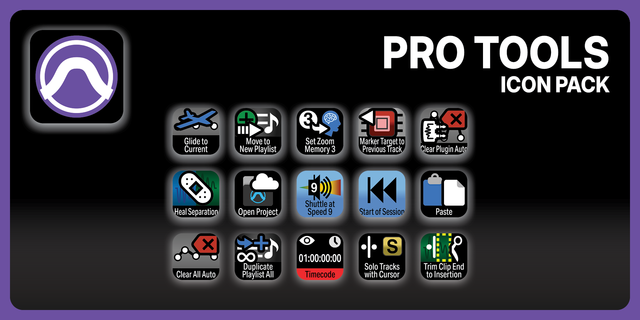
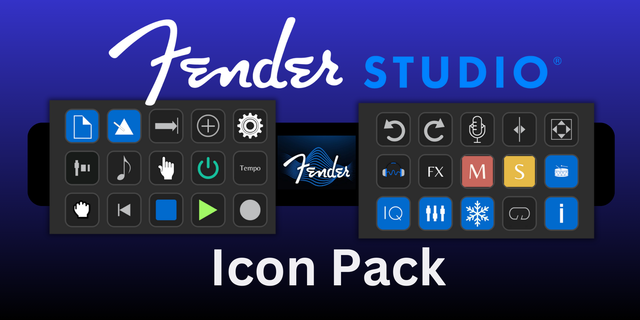
Every action includes a professionally designed icon created to visually represent its function. Commands can be identified quickly at a glance, even during busy recording or editing sessions.
The suite also supports automatic button titles, allowing compatible actions to display a clear, shortened command name without requiring every title to be entered manually. Custom titles remain available when you want complete control over your layout.
Build the Control Surface You Want
Fender Studio Control Suite does not lock you into a single premade profile. Add the commands you need, place them wherever you want, and organize your Stream Deck around the way you actually work.
Create dedicated pages for:
Recording
Editing
Mixing
Piano Roll
Arrangement
Navigation
Frequently used commands
Project-specific workflows
You can use individual actions in an existing Stream Deck profile or create a complete custom Fender Studio Pro workspace from the ground up.
Designed for Windows and macOS
The suite includes platform-specific command handling for supported Windows and macOS Fender Studio Pro shortcuts. This allows the same plugin to fit naturally into different production environments while respecting the keyboard-command behavior of each operating system.
Some commands may require the included Fender Studio Pro keyboard scheme or a matching shortcut assignment before they can be triggered. Setup guidance is provided to help you configure the required commands correctly.
Made for Speed, Focus, and Creativity
Whether you are recording vocals, producing beats, editing MIDI, arranging a full song, or mixing a finished project, Fender Studio Control Suite reduces repetitive keyboard work and keeps essential controls within reach.
Spend less time navigating menus—and more time creating.
Requirements
Elgato Stream Deck software
Compatible Elgato Stream Deck device
Fender Studio Pro
Windows or macOS
Required keyboard shortcuts configured in Fender Studio Pro
Fender Studio Control Suite is an independent third-party product and is not affiliated with, endorsed by, or sponsored by Fender Musical Instruments Corporation
Release Notes — 1.0.2
Adds Copy Diagnostics to Fender Help, including plugin, Stream Deck, operating system, runtime, keyscheme, and recent log details.
Improves troubleshooting with clear connection and timeout feedback plus clipboard and manual-copy fallbacks.
Provides 340 configurable Fender Studio Pro command actions with Windows and macOS shortcut routes.
Improves Button Title handling and validates the bundled Windows and macOS keyschemes.
Version 1.0.2
Sep 7, 2026
Details
Type
Audio
Music
Productivity
Utilities
OS
Mac
Windows
Compatibility
Stream Deck 7.1 or later
Size
741.36 KB
Version
1.0.2
Language
English
Support
Profiles
No
Dial support
No
You might also like