Development
Fetcher: JSON & HTML Monitor
by 2kit
Overview
Open source: https://github.com/lenadweb/stream-deck-fetcher
Fetcher: JSON & HTML Monitor turns any URL into a live tile on your Stream Deck. It fetches data from any HTTP/HTTPS endpoint or web page, extracts a single value, and displays it on your keys and dials in real time. Monitor crypto and stock prices, GitHub stars, npm and Docker stats, server and API status, weather, sports scores, and anything else available on the web, without writing any code.
What it does:
Reads a value from a JSON API via a JSON path, or from an HTML page via a CSS selector.
Resolves nested keys and array elements, e.g. data.users[0].status.
Extracts element text or an attribute from HTML, e.g. meta[name=price]@content.
Formats values as integer, percentage, currency (USD/EUR), abbreviation (k/M), boolean status, or upper/lowercase text.
Sends custom request headers for authenticated and private APIs, e.g. an Authorization token.
Polls on a configurable interval and caches responses, so multiple keys pointing at the same endpoint share a single request.
Works on standard Stream Deck keys and on Stream Deck+ encoders/dials and touchscreens.
How it looks:
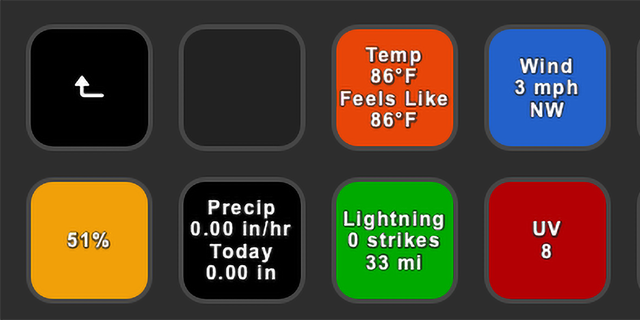
Each tile shows the resolved value with an optional label and icon.
45+ built-in icons and 10 color themes for quick recognition.
If data is temporarily unavailable, the tile shows a neutral placeholder instead of stale values.
Getting started:
Install the plugin and restart Stream Deck if needed.
Drag the Fetcher action onto a key or dial.
Enter the URL and choose JSON or HTML as the source type.
Set the JSON path or CSS selector to pick the exact value.
Press the key once to trigger the first fetch.
Configuration:
Data tab: set the URL, source type (JSON or HTML), and the JSON path or CSS selector.
Display tab: set an optional label, value format, icon, and theme color.
Advanced tab: add optional request headers as a JSON object and set the refresh interval in seconds (minimum 5, default 43200 = 12 hours).
Usage controls:
Key press: force refresh immediately.
On dial-enabled devices: push/touch/rotate also refreshes.
Background refresh keeps values reasonably up to date between manual checks.
Notes:
See 100+ ready-to-use recipes in EXAMPLES.md: https://github.com/lenadweb/stream-deck-fetcher/blob/main/EXAMPLES.md
Covers crypto and stock prices, GitHub stars, npm/Docker stats, live game players, weather and air quality, space data, service status, homelab metrics, and more.
Works on macOS 12+ and Windows 10+, with Stream Deck software 6.9 or later.
Free and open source under the MIT license.
Added a forced refresh on appear feature
Version 0.2.4
Sep 21, 2026
Details
Type
Development
OS
Mac
Windows
Compatibility
Stream Deck 6.9 or later
Size
185.56 KB
Version
0.2.4
Language
English
Support
Profiles
No
Dial support
Yes
Additional links
You might also like