Creative Tools
Figma Shortcut Profile
by Adx.cool
Overview
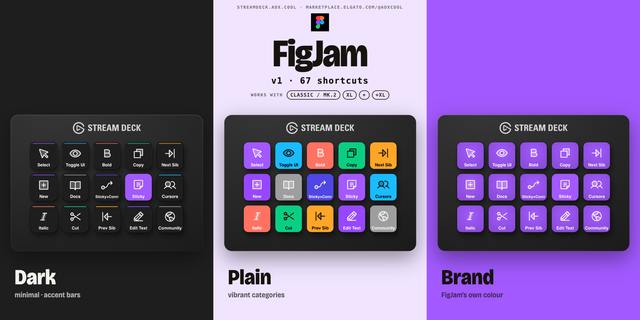
The complete Figma keyboard shortcut pack for Stream Deck. 94 shortcuts across 9 categories — organized, scored by importance, and ready to install on any Stream Deck model. Stop memorizing key combos. One tap, one action. What's included: • Edit (18): Copy, Cut, Paste, Duplicate, Undo, and 13 more • Tools (14): Frame Tool, Move Tool, Pen Tool, Text Tool, Rectangle, and 9 more • Arrange (13): Bring Forward, Send Backward, Bring to Front, Send to Back, Auto Layout, and 8 more • Text (11): Bold, Italic, Underline, Create Link, Strikethrough, and 6 more • Selection (10): Select All, Select None, Group, Ungroup, Frame Selection, and 5 more • Shape (9): Flatten, Outline Stroke, Remove Fill, Swap Fill/Stroke, Join Selection, and 4 more • Transform (7): Flip Horizontal, Flip Vertical, Use as Mask, Move Up 1px, Move Down 1px, and 2 more • View (7): Show/Hide UI, Rulers, Outlines, Prototype, Version History, and 2 more • Zoom (5): Zoom In, Zoom Out, Zoom to 100%, Zoom to Fit, Zoom to Selection Features: • Two icon themes: Dark (minimal, accent bars) and Plain (vibrant category colors) • Folder-based navigation with category pages for quick access • Auto-organized layout — most important shortcuts first • Works on all Stream Deck models (Mini, Neo, Classic, XL) • Available for macOS and Windows Learn more about Figma: https://www.figma.com
Initial release of the Figma Shortcut Profile. • 94 keyboard shortcuts across 9 categories • Two icon themes: Dark and Plain • Folder navigation with category pages • Supports all Stream Deck models • macOS and Windows keybindings
Version 1
Apr 17, 2026
Details
Type
Creative Tools
Utilities
Device
Stream Deck Mini
Stream Deck MK
Stream Deck Neo
Stream Deck XL
OS
macOS
Windows
Size
8.31 MB
Version
1
Support
Icons
Yes
Additional links
You might also like