Business
Figma Ultimate — Stream Deck Bundle
by Adx.cool
Overview
The only Stream Deck profile that covers all six Figma surfaces.
416 keyboard shortcuts across 6 apps — organized, scored by importance, and ready to install. Supports the Standard, XL, + and +XL Stream Decks on macOS and Windows.
What's included:
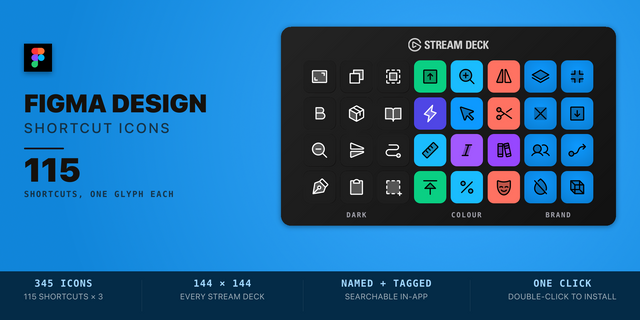
• Figma Design — 115 shortcuts • FigJam — 67 shortcuts • Figma Slides — 71 shortcuts • Figma Buzz — 57 shortcuts • Figma Site — 81 shortcuts • Figma DevMode — 25 shortcuts
Packaged three ways — one download, your choice: • All-in-one mega-profile — a single hub with 1-tap switching across every surface. • 6 standalone profiles — install only the surfaces you use. • The complete bundle — everything above, together.
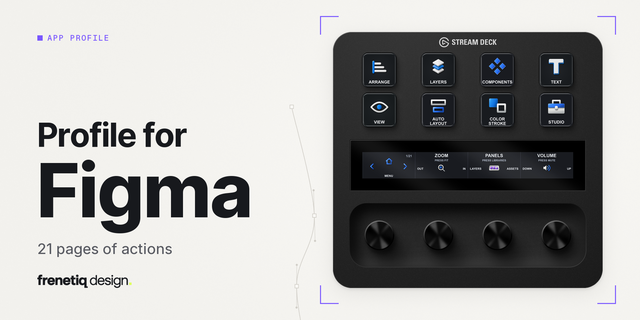
Features: • The only Stream Deck profile on the Marketplace that covers every Figma surface — Design (incl. Figma Draw), FigJam, Slides, Buzz, Site, and Dev Mode. • 416 native shortcuts across all six surfaces, color-coded by the official Figma palette (cyan / violet / orange / magenta / indigo / green). • Two ways to run it — one all-in-one mega-profile (shared hub + 22 cross-Figma shortcuts + 1-tap switching across all six surfaces), or each surface as its own standalone profile. Install the hub, the individual profiles, or both. Smart Profile auto-binds to Figma.app / Figma.exe. • 12 chord workflow buttons — 2 per surface, firing 2-key sequences in one tap (Frame+Auto Layout, Sticky+Connector, New Slide+Text, Duplicate+Bold, and 7 more). • 28 dial slots across 7 layouts — the hub plus each of the six surfaces, 5 of them distinct: Slides, Buzz, Site and Dev Mode each retune the knobs to their own surface, while Design and FigJam keep the hub's universal four. One companion plugin covers all of them. • Three icon themes (Dark · Plain · Brand) for Stream Deck Standard, XL, + and +XL — macOS and Windows keymaps.
Setup: • All-in-one: double-click the mega-profile to install the hub, then switch surfaces from the hub page. • Individual: double-click any surface profile under "Individual Profiles" to install just that one. Either way, open Stream Deck app → Preferences → Profiles — profiles auto-activate when Figma gains focus.
v1.1 — 2026-11-06 Figma Design re-checked against Figma's Help Center: 18 keys fired the wrong command and are fixed — the boolean groups (Union, Subtract, Intersect, Exclude), Flatten, Outline Stroke, Outlines, Create Link, Smart Auto-layout, Dev Mode, Pixel Preview, Paint, Zoom to Fit / Selection, and three Windows-only keys. Component Search is replaced by Save to Version History.
Version 1.1
Nov 11, 2026
Details
Type
Business
Creative Tools
Device
Stream Deck +
Stream Deck MK
Stream Deck XL
Stream Deck + XL
OS
macOS
Windows
Compatibility
Stream Deck 6.4 or later
Size
105.07 MB
Version
1.1
Language
English
Support
Icons
Yes
Additional links
You might also like