Gaming
Flight Deck
by Magoo
Overview
Track Flights Your Way
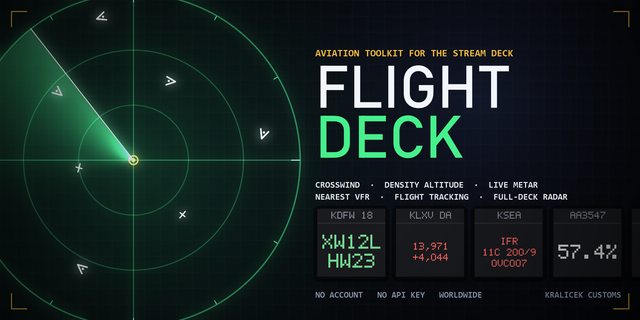
Flight Deck turns your Stream Deck into a live aviation dashboard built around the flights, airports, aircraft, and routes you care about.
Track a specific flight from takeoff to landing. Build your own airport arrivals or departures board. Scan near a favorite airport for aircraft types, operators, or “rare bird” sightings. Whether you’re an aviation enthusiast, plane spotter, frequent traveler, streamer, or just waiting on someone’s arrival, Flight Deck puts the sky on your keys.
With Flight Deck, you can:
Track Flight: Pin one flight to a key and follow its route, phase, and timing status.
Track Flight: Rotating: See flight status, route progress, and departure/arrival times in a rotating key display.
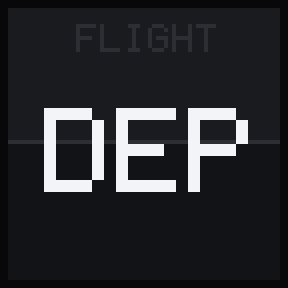
Watch Tower: Create a live airport arrivals or departures source board.
Flight Board: Display individual rows from your Watch Tower to build a multi-key airport board.
Rare Bird: Scan around an airport for a specific aircraft type or operator, then see the closest match at a glance.
Flight Deck is designed for quick reading on Stream Deck: bold status colors, compact airport-board layouts, clean default icons, and visible feedback when data is refreshing, missing, paused, delayed, or rate-limited.
An included default profile and setup guide help you get started quickly, from connecting FlightAware AeroAPI to building your first flight key or airport board.
A FlightAware AeroAPI key is required. Flight Deck uses your own FlightAware account, so you stay in control of setup, refresh intervals, and usage. Manual refreshes, automatic updates, and Rare Bird scans may count toward your FlightAware AeroAPI usage.
Flight Deck is intended for personal, informational, and enthusiast use only. Do not use it for safety-critical, operational, dispatch, navigation, or compliance decisions.Flight Deck is independently developed by Magoo Media and is not affiliated with, endorsed by, or sponsored by FlightAware. FlightAware and AeroAPI are trademarks or services of their respective owner.
Start simple with one flight, or build a full airport board around your favorite hub. Your deck. Your flights. Your sky.
Flight Deck 1.0.0.2
Flight Deck now supports the new Stream Deck Neo Infobar.
New
Added a dedicated Track Flight Infobar action for Stream Deck Neo.
Displays flight number, route, flight phase, and timing status at a glance.
Uses the same bold color system as Flight Deck’s existing key icons.
Includes clear setup, refreshing, paused, rate-limit, no-flight, and API error states.
Automatically refreshes flight data using the configured interval.
Supports the existing FlightAware API key, route filters, and auto-pause settings.
Improvements
Updated to the latest Stream Deck SDK.
Improved flight settings wording so it works naturally across keys and the Infobar.
Cleaned the submission package to remove unused development files.
Requirements
The Neo Infobar requires Stream Deck 7.6 or newer. Existing key actions remain available and unchanged.
Version 1.0.0.2
Oct 1, 2026
You might also like