Monitoring
Flight Radar
Overview
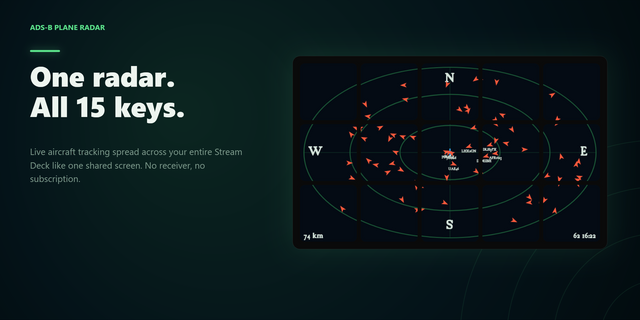
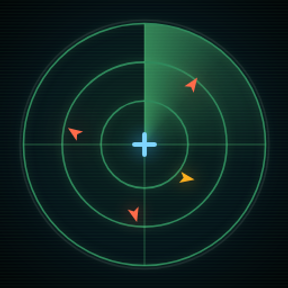
Explore the skies around you with Flight Radar, an interactive XENEON EDGE widget that transforms your touchscreen into a live aircraft-tracking display. View nearby planes on a detailed map, follow their movement, and tap any aircraft for additional flight information.
What’s Included The live radar map displays nearby aircraft using real-time community data.
Tap an aircraft to view available information on its flight.
Plane trails visualize recent movement while smooth touchscreen controls allow you to pan and zoom around the map.
Ghost trails visualize estimated flight paths for the aircraft depending on its destination.
Airline names are identified locally using aircraft callsign prefixes. Route information is displayed only when a reliable route is available.
Pin an aircraft and track its entire flight.
Markdown your favorite Airports to see them on the map.
If community photos for an aircraft are available, see them in the flight details.
Customization Personalize Flight Radar through the iCUE configuration panel with selectable plane and trail colors, optional plane trails, adjustable refresh timing, and a configurable aircraft scan radius.
Choose between light, dark, and automatic time-based themes. The header can also be shown or hidden for a cleaner full-map layout.
Set the radar location using automatic approximate location detection or enter a city, postal code, or street address manually.
Data and Connectivity Flight Radar requires an active internet connection. Aircraft positions are provided by public community services, while map tiles and location searches are supplied by third-party mapping services.
The installation of our very light-weight Flight Radar companion app is necessary for versions 1.1 and above. This can be found in the Related Downloads link on this product page.
Compatibility Designed for XENEON EDGE and iCUE, Flight Radar supports touchscreen panning, pinch-to-zoom, aircraft selection, and configurable display options.
Disclaimer Flight Radar is an independently developed community product and is not endorsed by, sponsored by, or affiliated with Corsair, ADSB.lol, Airplanes.live, adsb.im, OpenStreetMap, CARTO, any airline, aircraft manufacturer, airport, or aviation authority.
Flight Radar uses third party sources for Flight Data, Aircraft Images, & Map. While we strive for a consistent user experience, we cannot guarantee accuracy, availability, or continuity of service as these sources may change or become unavailable at any time.
All airline names, trademarks, logos, aircraft names, map data, and related intellectual property belong to their respective owners.
Version 1.6 - Major Update
The Flight Radar Companion has been transitioned into our Respawn Companion hub.
This way all of your Respawn Icons companions can be in one central place, no more having multiple seperate apps.
The settings UI has been completely overhauled, majority of settings that were previously in iCUE have been moved into the widget itself.
Update notifications are now integrated in the widget. Anytime there is a new version available it will notify you right on your EDGE.
Halloween has arrived! New Halloween theme can be chosen from the settings!
Version 1.6
Oct 9, 2026
Details
Type
Monitoring
Device
XENEON EDGE
OS
Windows
Size
57.16 KB
Version
1.6
Language
English
French
German
Italian
Spanish
Support
Dashboard Sizes
Extra large
Large
Medium
Small
Interactive
Yes
Additional links
You might also like