Productivity
Flip Clock Pro
by Crevis
Overview
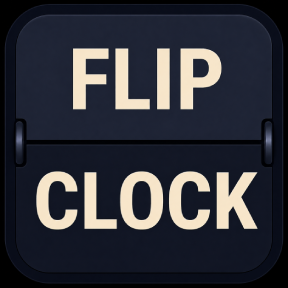
Flip Clock Pro brings a clean split-flap flip-clock look to your Stream Deck,
turning your keys into Clock with alarm, Countdown, Stopwatch and a Pomodoro Timer.
Five actions, each rendered in crisp split-flap style with six themes:
Clock shows the current time on your key (12/24h).
Countdown lets you set hours, minutes and seconds; press to start or pause, double-press to reset.
Stopwatch runs on a single press to start or pause, double-press to reset.
Pomodoro handles work and break cycles with configurable rounds, a long break, and optional per-phase confirmation.
Alarm arms or disarms a time, and the bell blinks when it rings.
Works with or without the app.
Every key runs standalone with its own built-in engine, so you just install and go.
Or pair it with the Flip Clock Pro Windows app:
the plugin then drives the app live and mirrors its state right on your keys.
Each key has its own options for theme, display format, unit labels and more, all via the Property Inspector.
Requirements:
Windows 10 or later,
Stream Deck software 7.1 or newer.
The optional companion app is on the Microsoft Store.
https://apps.microsoft.com/detail/9p4v4vt5bbzp
Version 1.1.0.0
What's new:
• The category icon and all action icons are now white / monochrome,
in line with the Stream Deck icon guidelines.
Flip Clock Pro brings a retro split-flap flip-clock look to your Stream Deck,
with five actions and six themes:
• Clock (12/24h)
• Countdown
• Stopwatch
• Pomodoro (work & break cycles, rounds, long break, optional per-phase confirmation)
• Alarm
Every key runs standalone, or acts as a remote for the Flip Clock Pro Windows app
(available separately on the Microsoft Store).
Version 1.1
Jul 8, 2026
Details
Type
Productivity
OS
Windows
Compatibility
Stream Deck 7.1 or later
Size
90.15 KB
Version
1.1
Language
English
Support
Profiles
No
Dial support
No
You might also like