Productivity
Focus Grove
by Raylight
Overview
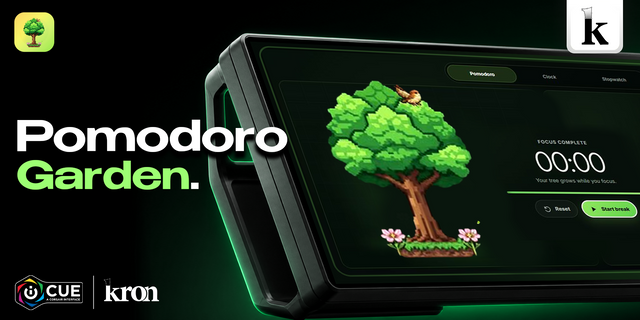
Focus Grove is a focus timer that plants a tree on your XENEON EDGE for every session you finish. Tap to start, tap to pause, and a short break follows on its own. Through the day your grove fills up, one tree per session.
Stop early and you keep a sapling for the time you put in. Nothing ever withers or dies. The leaves follow the season and the sky follows your clock, from daylight to dusk to a starry night.
Features
Focus length from 5 to 90 minutes and break length from 1 to 30 minutes; the break can start automatically
Tap anywhere to pause or resume, with End focus and Skip break buttons
A tree grows live as you focus, and finished sessions stay in today's grove
Seasonal leaves (or pin spring, summer, autumn or winter) and a sky that follows the time of day
Today's trees and minutes, plus your total for the week
A running session picks up where it left off after iCUE or your PC restarts
Works in every Edge slot, horizontal and vertical; no account and no internet connection
Requires Windows, iCUE 5.47 or later and a CORSAIR XENEON EDGE.
Fixed an error that could appear for a few seconds at startup when the widget drew or was tapped before iCUE had sent its settings.
Desktop apps such as Windows Search and Snipping Tool are no longer mistaken for games.
If iCUE isn't ready the first time the widget loads, it now reloads itself instead of staying on sample data.
Version 0.1.10
Oct 6, 2026
Details
Type
Productivity
Device
XENEON EDGE
OS
Windows
Size
37.12 KB
Version
0.1.10
Language
English
Support
Dashboard Sizes
Extra large
Large
Medium
Small
Recommended Orientation
Horizontal
Vertical
Interactive
Yes
You might also like