Business
Focus Sight
by VIVRE-MOTION
Overview
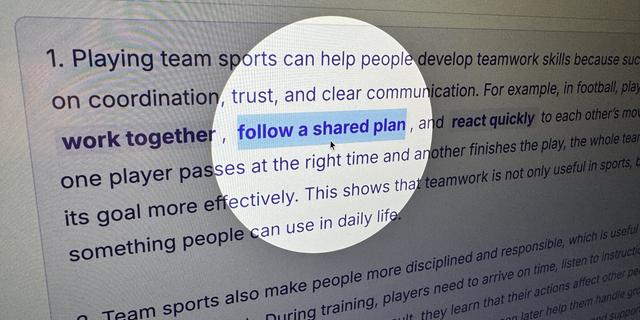
Fewer distractions. Better concentration. Maximum focus. FocusSight transforms your Windows desktop into a distraction-free workspace where only what truly matters takes center stage. With a single press of a button, distracting windows and screen content fade into the background through transparent glass, dimming, or blur effects, while your focused applications remain clearly visible and fully interactive.
Whether you're embracing Deep Focus, Deep Work, Deep Dive, Tunnel Coding, or Super Focus Time, FocusSight creates your personal concentration zone. Like a digital Fog of War, irrelevant desktop areas fade out of your immediate view. Perfect for programming, creative work, complex analysis, or any task that demands your full attention.
FocusSight is also ideal for Presentations and Live Demonstrations, helping you guide your audience's attention toward essential windows and content while minimizing distracting background elements. As a visual Incognito Mode, it also adds an extra layer of discretion by making unrelated desktop content less noticeable to people nearby. However, it is not a substitute for actual privacy or security protection.
With customizable colors, transparency, and frosted glass effects, FocusSight adapts to your personal workflow. Focus Layers lets you decide how many windows remain visible in the foreground simultaneously. The effect can automatically follow the active window across monitors or extend across all connected screens, making it ideal for demanding multi-monitor setups.
FocusSight – Eliminate Distractions. Stay in Focus. No unnecessary window switching, no closing applications, and no changes to your familiar desktop environment. Activate your personal Focus Mode instantly and concentrate on what truly matters.
Initial Release
Version 1
Nov 2, 2026
Details
Type
Business
Productivity
Utilities
OS
Windows
Compatibility
Stream Deck 7 or later
Size
93.42 MB
Version
1
Language
English
Support
Profiles
No
Neo Infobar support
No
Dial support
No
You might also like