Productivity
FocusTimer Pro
by Dloper
Overview
FocusTimer Pro turns your Stream Deck into a focus routine that does more than count down. Willpower runs out. Give your next session a clear finish line and fewer distractions along the way.
Build your routine
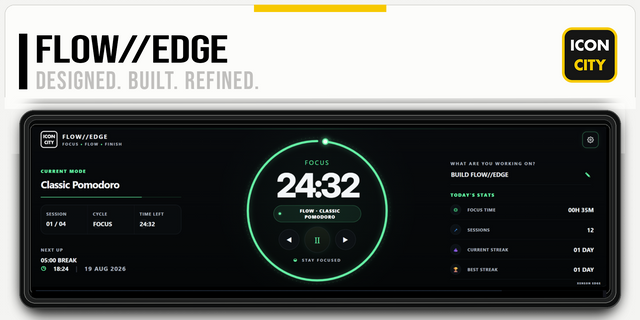
Set your focus and break durations from 1 to 180 minutes, then keep the countdown in view on your Stream Deck key with a live progress ring. Each session takes you from focus to a break, ready for you to start again when you choose.
Keep distractions from settling in
Choose installed Mac apps from a dropdown and build your blocklist with multiple selections. Remove individual apps with ×. During focus sessions, FocusTimer Pro checks every three seconds and asks those apps to quit. Add distracting domains to close matching tabs in Safari and Google Chrome while you work.
Set the scene for focused work
Optional environment controls let you enable Do Not Disturb through Apple Shortcuts, hide desktop icons, and lock your screen when a break starts. Desktop visibility is restored when you pause, stop, or reach your break; your configured restore shortcut handles Do Not Disturb.
Press your key to start, pause, or resume. Hold for 1.2 seconds to end the session. Multiple Focus Timer keys share one active session, so you can keep your countdown within reach across profiles. Settings save automatically in the Property Inspector and apply to your next session.
Requirements: macOS 13 or later and Stream Deck 7.1 or later. Windows is not supported. macOS Automation permission is needed for app and browser control; screen locking also requires Accessibility permission. Do Not Disturb requires you to create and select start and restore shortcuts in Apple Shortcuts.
Apps may show save prompts or decline to quit; this is a distraction aid, not an access restriction. Save your work before starting. Closed apps and tabs are not reopened. Website controls close matching tabs in Safari and Google Chrome, including subdomains, and do not filter traffic in other browsers or apps. Checks require Stream Deck and the plugin to remain running.
# FocusTimer Pro v1.1.0.0 Changelog
- Added official support for Windows 10 and later.
- Added a full set of translations (German, Spanish, French, Japanese, Korean, Portuguese, Simplified Chinese, and Traditional Chinese).
- Updated internal plugin links to point directly to the Elgato Marketplace product page.
- Updated documentation and setup guides to include Windows support details.
Version 1.1
Sep 21, 2026
You might also like