Productivity
Game Engine Deck — MK.2 (Mac)
by panda studio
Overview
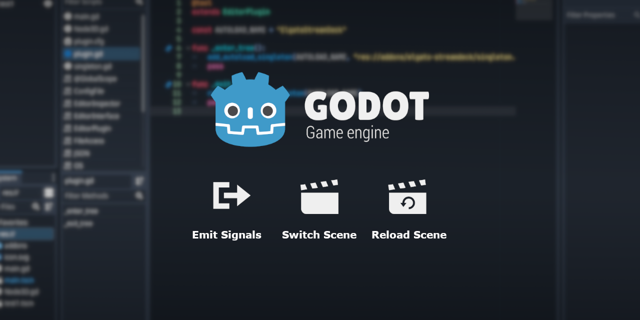
A Stream Deck MK.2 profile for the Godot 4 editor on Mac: 41 default Godot shortcuts on a Home page and 2 folders. Run, stop and switch workspaces without looking for the keys.
HOME
• Run project, run current scene, stop, pause
• 2D, 3D, Script and Game workspaces
• Save, undo, redo, quick open, command palette + folders Scene, Script
SCENE
• Select (2D / 3D), move, rotate, scale, snap, focus selection
• Front, right and top view, perspective/orthogonal (sent as keypad keys)
• Add child node, instantiate scene, duplicate
SCRIPT
• Quick open scene or script, find in files, toggle comment, go to line, delete line
• Toggle breakpoint, search help, next/previous script, save all
• Output panel, last bottom panel, distraction-free mode
SETUP
Double-click the .streamDeckProfile file to import it, then click into the Godot editor and press a key. Nothing to bind: the keys send Godot's defaults.
DETAILS
• Godot's default macOS shortcuts, checked against the Godot 4.7 editor (for example, 2D and 3D scale are both R in 4.7)
• Custom shortcuts in Editor Settings > Shortcuts override these keys
• macOS only (Mac key codes). An icon on every key. Built and exported in the Stream Deck app. No plugins needed
• Also by panda studio: 3D Viewport Deck (54 keys for 3D modeling) and Agent Deck Lite (free, 8 terminal commands for AI coding agents)
Godot is a trademark of the Godot Foundation. panda studio is not affiliated with or endorsed by the Godot Foundation.
First release: 41 default Godot 4.7 editor shortcuts for Stream Deck MK.2 on Mac in a Home page and 2 folders (Scene, Script).
Version 1
Oct 5, 2026
Details
Type
Productivity
Device
Stream Deck MK
OS
macOS
Compatibility
Stream Deck 7.1 or later
Size
351.15 KB
Version
1
Support
Icons
Yes
AI Content
Yes
You might also like
-thumbnail-optimized-f39b32d8-8461-40ce-8a57-cb12ad4a7b66.png)
-thumbnail-optimized-1b1acbeb-c866-4313-89ee-cb9be8a0881f.png)