Monitoring
GameBuds Battery
by AInine
Overview
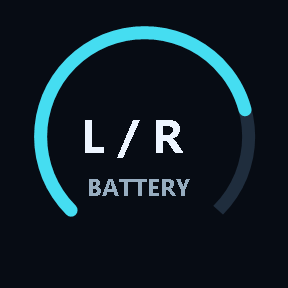
See the left and right battery levels of your SteelSeries Arctis GameBuds on separate Stream Deck keys. Large percentage readouts and circular gauges let you check each earbud at a glance without opening another app.
Readings refresh every 15 seconds, or press a key to refresh. Connected earbuds appear in cyan. Battery levels of 15% or below appear in red when not charging. Charging remains amber at any battery level. Unknown readings display a dash instead of a guessed percentage.
Requires Windows 10 or later (x64), Stream Deck 6.9 or later, and the PlayStation version of Arctis GameBuds with its USB dongle in 2.4 GHz mode. To read charging status and battery levels while the earbuds are in the case, connect the case to the PC using a USB data cable. Bluetooth-only use, the Xbox version, and macOS are not supported. Uses keys, not dials or the touch strip.
Unofficial third-party plugin. Not affiliated with or endorsed by SteelSeries or Elgato.
Support: ainine.jp@gmail.com
First public release.
Separate left and right battery keys for the PlayStation version of SteelSeries Arctis GameBuds. Includes automatic refresh every 15 seconds, press-to-refresh, USB case charging status, low-battery colors, and an English setup panel.
Requires Windows x64 and Stream Deck 6.9 or later. Bluetooth-only use and the Xbox version are not supported.
Version 1.5
Sep 24, 2026
Details
Type
Monitoring
OS
Windows
Compatibility
Stream Deck 6.9 or later
Size
74.47 KB
Version
1.5
Language
English
Support
Profiles
No
Dial support
No
Neo Infobar support
No
You might also like