Development
GitHub Contributions
by Arturo
Overview
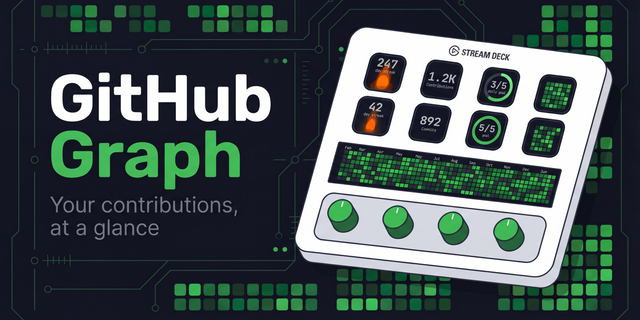
Bring your GitHub activity to your Stream Deck with clear contribution calendars and readable counters. Follow today's progress, explore your recent activity, or spread the current year across five adjacent keys. Choose the view and theme that fit your setup.
Features
- Five views: today, the last seven days, the current month, the current year, or an expanded five-key calendar.
- Light and dark themes: crisp graphics, larger text and carefully balanced contrast.
- Automatic updates: contributions refresh every 30 minutes. Press a key to refresh the visible keys using the same account.
- Simple configuration: enter your GitHub username and personal access token, then choose your view and theme. Settings save automatically.
- Clear feedback: helpful messages for connection issues, invalid credentials and GitHub rate limits.
- Local operation: no plugin backend or analytics. Your token is stored in Stream Deck settings and sent only to GitHub.
Requires Stream Deck 7.1 or later and a GitHub personal access token. Private contribution visibility depends on your GitHub settings and token permissions.
Version 2.0.0
A refreshed design, simpler setup and more reliable updates.
- Redesigned all five views with larger text, clearer counters and improved contrast in both themes.
- Improved weekly readability with a two-row layout and larger daily counts.
- Added automatic saving and clearer feedback to the settings panel.
- Corrected calendar calculations across time zones, daylight-saving changes, leap years and year boundaries.
- Fixed the five-key calendar to include every date in years spanning 53 or 54 weeks.
- Reduced duplicate GitHub requests by sharing cached data between matching keys.
- Improved handling of connection failures, invalid tokens and GitHub rate limits.
- Rebuilt the plugin using the current official Elgato SDK and Node.js runtime.
Existing actions and settings are preserved.
Requirements: Stream Deck 7.1 or later, macOS 12 or later, or Windows 10 or later.
Version 2
Oct 16, 2026
You might also like