Monitoring
Gridline Modules
Overview
A high-density system dashboard with configurable clocks, sensors, gauges, FPS panels, and premium live graphs.
Monitor temperatures, load percentages, fan speeds, system information, and any other sensor supported by your iCUE Sensors plugin through dedicated bento-style panels.
At the center is a large historical graph designed to make sensor behavior easy to understand at a glance. Surrounding modules provide focused readouts for thermals, GPU load, active processes, memory, fans, and other system information.
Gridline Modules by OPULENT HARDWARE
How It Works
The widget reads real-time hardware data through the iCUE Sensors data provider plugin. Assign supported sensors to the available modules, choose which readings appear on the central graph, and configure the labels to match your system.
Each graph trace uses its own color, making it easy to compare temperatures, loads, fan speeds, or other values over time. Dedicated sensor cards keep current readings visible while the graph provides the historical context behind them.
Getting Started
Install Gridline Modules by dragging the widget into the installation area or selecting it through the file explorer.
Open the widget settings and assign sensors to the top information strip, thermal panel, central graph, and right-side sensor panel.
Choose which sensors should appear as graph traces.
Customize sensor names, graph colors, accent color, font sizes, corner radius, background color, and transparency to suit your setup.
What’s Included
Gridline Modules widget
Modular bento-style system-monitoring layout
Large central historical sensor graph
Multiple independently colored graph traces
Dedicated thermal sensor panel
Dedicated GPU load or configurable sensor panel
Top-strip modules for system information and sensor readings
Active-process information module
Configurable RAM, fan-speed, temperature, load, and other sensor readouts
Custom labels for supported sensor modules
Automatic temperature-unit detection—°C or °F follows your iCUE preference
Show Branding toggle to hide the OPULENT HARDWARE footer and maximize usable panel space
Corner Radius slider for sharp or rounded module edges
Accent, graph-line, text, background, and transparency customization
Bahnschrift Condensed typography—built into Windows, with no additional download required
Designed for the Gridline System
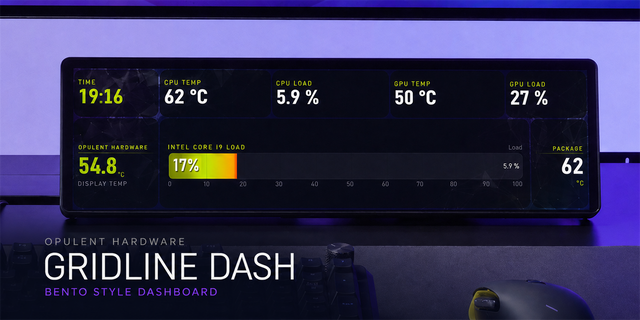
Gridline Modules uses the same visual language as Gridline Dash: Use it on its own for a complete monitoring view, or place it in on your XE as a wider Gridline setup
Troubleshooting
If a sensor module displays dashes or no data, confirm that the iCUE Sensors data provider plugin is installed and available. Reopen the widget settings and assign the affected sensor again.
If a graph trace does not appear, verify that the selected sensor is returning data and that its line is enabled in the graph settings. Some readings may remain flat when the associated hardware is idle.
If a system-information module is blank, confirm that the required data provider is installed and restart iCUE after installation.
Note
Gridline Modules is part of the Gridline series by OPULENT HARDWARE. Visit the profile for more Gridline widgets that can be mixed and matched to complete your Xeneon Edge layout.
Gridline Market and Gridline Dash widgets are available separately.
Initial public release of Gridline Modules—a flexible Xeneon Edge dashboard featuring configurable sensor panels, live graphs, gauges, FPS, clocks, custom labels, and extensive visual personalization.
Version 1.1.3
Aug 21, 2026
Details
Type
Monitoring
Device
XENEON EDGE
OS
Windows
Size
67.52 KB
Version
1.1.3
Language
English
Support
Dashboard Sizes
Extra large
Large
Medium
Small
Recommended Orientation
Horizontal
Interactive
No
You might also like