Business
Grok Bot Agents
Overview
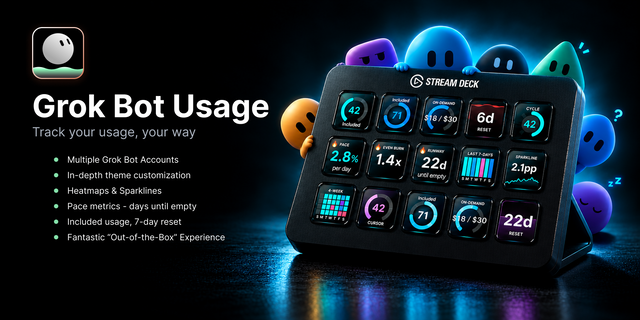
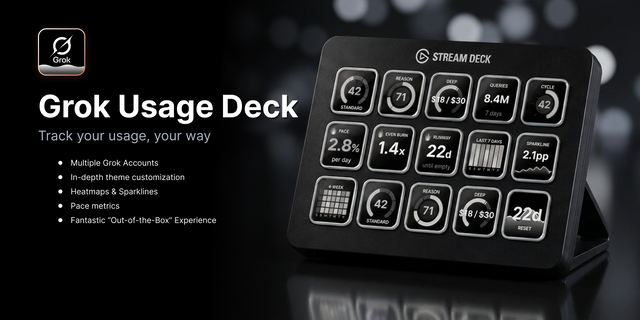
Page the Grok Bots in your sidebar from Stream Deck - each key a Bot you can open, pin, or filter - plus pager keys, a section filter, and a key that sets what short press and long press do. Agent chat threads and voice dictation at the press of any bot key.
🎨 Make it yours — 10 theme presets (Default, Night Watch, Espresso, Paper, Harbor, Charcoal, Violet Room, Ion, Candy, Monolith). Status pills and banners, name, empty keys, and Ready pulse apply to the whole deck of agents.
📌 Pin what matters — long press a Grok Bots key to pin that Bot to the front of the row. Pinned Bots parks one Bot on its own key. Hold long press removes the pin.
📊 Key types — Grok Bots (one visible Bot per key), Pinned Bots, Single Grok Bot, Skill / Routine Slot, Previous, Next, Section Filter, Open, and Set Bot Actions.
🎛️ Stream Deck + dials - Page, Bot Switcher, Bot Actions, Section Filter, and Pinned Bots dials, each with four styles. The Bot Switcher follows your sidebar order and draws groups as circles; a working bot shows a waveform or a Working wash.
🔔 Status on the key — Working, Ready (pulses until you press), Idle, and Inactive. Roster avatar photos supported!
🗣️ Voice - Start a voice call with any agent at the press of a key (macOS via Accessibility, Windows via UI Automation). The Voice chat toggle is on by default.
🎛 Press jobs — defaults are short press opens the Bot, long press pins it. Set Bot Actions cycles Chat thread, Start dictation, or Pin for the gesture you pick. Hold that key to switch between Short press and Long press.
Requirements
Stream Deck 7.1+; Windows 10 or macOS 12+
Requires the Grok Bot desktop app on this machine. The plugin reads local sidebar files. It does not sign you in, and it does not store a grok.com cookie.
Not affiliated with or endorsed by xAI.
🙏 My commitment
Built and maintained by a developer who uses it daily. Feedback goes straight into the roadmap - bug reports and feature requests encouraged.
✳️ I hold every plugin I release to a high bar, and honest feedback is part of how it gets raised. If something feels off, I want to hear it.
Keywords: Grok Bot, Grok Bot Agents, AI agents, Grok, Cursor, SpaceX, Stream Deck, Stream Deck Plus, Stream Deck dials, sidebar, bots, pin, voice chat, productivity, developer tools
DIAL SUPPORT! Grok Bot Agents now works on Stream Deck + and + XL dials. You get a Page dial, a Bot Switcher dial, and Bot Actions, Section Filter and Pinned Bots dials, each with four styles. The Bot Switcher follows your Grok Bot sidebar order and draws groups as circles. Names are bigger, and a working bot shows a waveform or a Working wash.
VOICE CALLS!! Voice calls now really start a call, on macOS through Accessibility and on Windows through UI Automation. The Voice chat toggle is on by default.
SIMPLE BOT KEY! There's a new Single Grok Bot key, a Chief of Staff badge, and a Testing section. Bot names drop anything after "·" so they fit. I added an Eyes toggle, cut down on repaints, and made the Windows check faster. I removed the "Status text as Label" option.
Version 1.2
Nov 6, 2026
Details
Type
Business
OS
Mac
Windows
Compatibility
Stream Deck 7.1 or later
Size
949.11 KB
Version
1.2
Language
English
Support
Neo Infobar support
No
Profiles
No
Dial support
Yes
Additional links
You might also like