Productivity
How Many Left?
by cos scarpa
Overview
How Many Left? Claude Token Counter
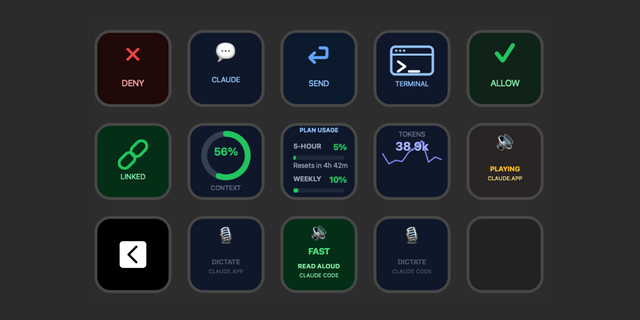
Never get caught by Claude's limits mid-session. How Many Left? Shows your Claude usage (session + weekly) directly on a Stream Deck key — always visible, always up to date.
What it does Claude uses rolling usage limits. This plugin reads your credentials from macOS Keychain and shows a live gauge of your remaining capacity — so you know when to slow down, switch tasks, or keep going.
Who it’s for If you use Claude Code often and hate hitting limits mid-task, this is for you.
One glance = instant awareness.
Key features
Colour urgency — Orange (safe), red (<20%)
Detail view — Content is easy to read
Manual refresh — Hold to refresh anytime
Auto refresh — 5 / 15 / 30 min or manual only
No login needed — Uses macOS Keychain
Rate-limit safe — Smart throttling + retry handling
Multi Claude account supported — You can check both personal and team accounts or multiple accounts
Claude Code status monitor
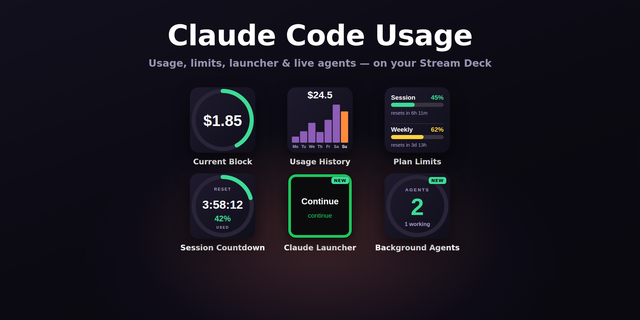
4 ways to display data
API Balance
An indicator will tell you if you're burning tokens fast
Display via a chart your average token consumption and usage speed
Requirements
macOS 10.15+
Stream Deck 6.9+
Claude Code installed & logged in
Setup
Install plugin
Add to a key
Open settings → Connect to Claude Code
Allow Keychain access
Done. No tokens, no redirects.
Gestures
Tap → Top open usage in web view
Notes
Minimum 60s between auto refresh calls
Respects API rate limits
Advanced: custom credential paths supported
New features:
An indicator will tell you if you're burning tokens fast
You can display the weekly or session average consumption via charts
You can display the weekly or session average usage speed via charts
Minor optimisations
Version 1.8
May 11, 2026
Details
Type
Productivity
OS
Mac
Compatibility
Stream Deck 7.1 or later
Size
120.24 KB
Version
1.8
Language
English
Support
Profiles
No
Dial support
Yes
Additional links
You might also like