Productivity
Humble Macro
by Rockensoft
Overview
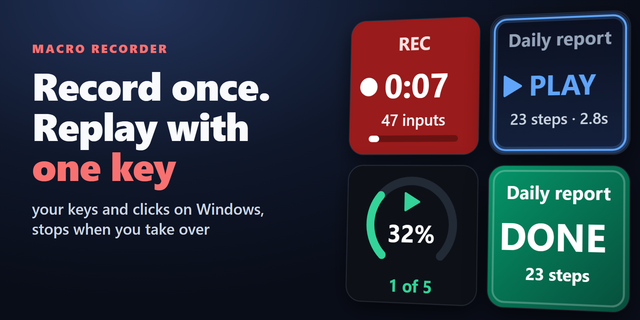
Humble Macro is a Windows Stream Deck plugin powered by AutoHotkey v2 that turns repetitive actions into one-tap workflows.
⚠️ Requires free AutoHotkey v2 — download from autohotkey.com. AutoHotkey v1 is not supported.
Built for workflows where shortcuts do not exist — web dashboards, launchers, internal tools, legacy software, and click-heavy desktop routines. Record a sequence once, save it as a macro, and trigger it from your Stream Deck.
What you can do
* Record keyboard input, mouse clicks, and mouse movement
* Replay macros with speed control (0.5x–4x)
* Loop workflows 1–9999 times, or until stopped
* Add adjustable delay variation with the randomizer
Great for
* Streamers: go-live routines, clip workflows, scene and overlay sequences
* Creators: repetitive editor steps, daily setup, asset prep
* Gamers: launcher and Discord setup, capture toggles, build planner shortcuts
* Office: ticketing and CRM flows, spreadsheet routines, daily app launches
* Anyone: click-heavy UI across menus, dialogs, and dropdowns
Responsible use: Use Humble Macro only where automation is allowed by the app, game, or service you are using.
Requirements
* Windows 10/11
* AutoHotkey v2 installed externally (the plugin uses your existing installation)
If you do a task more than twice, it's a good candidate for a Stream Deck button. Humble Macro helps you build those buttons quickly — and makes mouse-driven automation practical, simple, and repeatable.
Humble Macro 1.0.0.5 - First public release has been refined through extensive internal testing of recording fidelity, playback timing, and Property Inspector behavior.
Version 1.0.0.5
Jun 10, 2026
Details
Type
Productivity
OS
Windows
Compatibility
Stream Deck 6.9 or later
Size
127.65 KB
Version
1.0.0.5
Language
English
Support
Profiles
No
Dial support
No
You might also like